Click to download now, finish the installation quickly, and directly unlock the "all-round experience"
About This App
🏆 Expert Verdict & Overview
The Logitech G mobile app serves as a critical command center for users of Logitech's premium gaming headsets within the broader Entertainment ecosystem. By bridging high-end audio hardware with the convenience of a smartphone, it transforms a simple accessory into a deeply customizable personal audio platform. This app elevates the user's experience from passive consumption to active audio management and system integration, a sophisticated approach that aligns with modern Entertainment demands for personalization and seamless multi-device control.
🔍 Key Features Breakdown
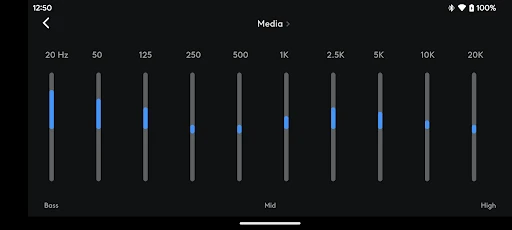
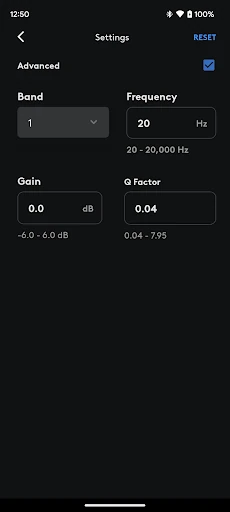
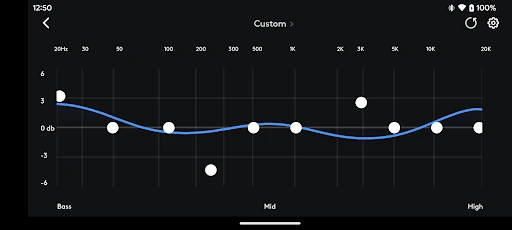
- Advanced Equalizer & Preset Management: The app provides granular control over audio output, ranging from 5-band to advanced parametric EQ. It addresses the core gamer need for situational sound—whether pinpointing footsteps in a competitive shooter or immersing in a cinematic soundtrack—allowing users to create and switch profiles on the fly.
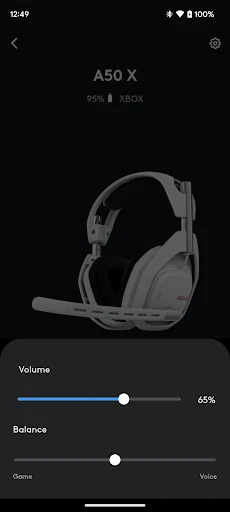
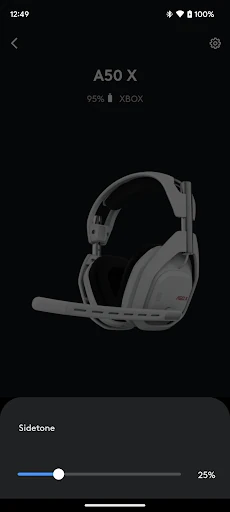
- Unified Mix & Microphone Control: It solves the perennial problem of in-game audio balance and voice chat clarity. Users can fine-tune the game/voice mixer and apply EQ to their own microphone, ensuring clear communication and optimal immersion without needing to access in-game or system menus mid-game.
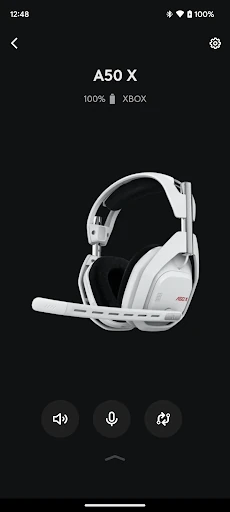
- PlaySync Multi-Platform Switching (A50 X): This feature directly tackles the modern entertainment paradigm of a multi-console/PC setup. It allows users to switch audio sources between Xbox, PlayStation, and PC effortlessly, enabling a fluid, couch-centric entertainment experience that eliminates physical re-plugging of devices.
- User Profiles & Quick Actions: These features solve the problem of repetitive manual adjustments. By bundling EQ, mic, and mixer settings into a single, swappable profile, the app saves time and maintains consistency, shifting the user's focus back to their game or entertainment content.
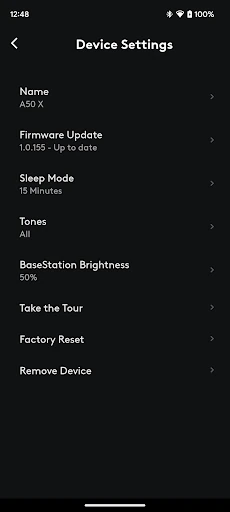
- Centralized Product Management: It consolidates firmware updates, battery status monitoring, support access, and store browsing into one hub. This solves the user's need for maintaining device health and discovering new features without scouring multiple websites or support forums.
🎨 User Experience & Design
The UI presents a clean and intuitive interface that prioritizes the most critical controls like volume and quick actions on the main screen, aligning with entertainment app standards for immediate accessibility. The deeper, more complex settings (EQ, profiles) are logically organized into dedicated sections. This streamlined approach prevents feature overload and supports users who want both simplicity for quick adjustments and depth for fine-tuning, a crucial balance for a utility app in a high-engagement Entertainment category. The visual design is functional and modern, though it primarily serves the purpose of clear navigation over flashy aesthetics.
⚖️ Pros & Cons Analysis
- ✅ The Good: Offers a professional-grade level of audio customization typically reserved for studio software, directly on a mobile device.
- ✅ The Good: Features like PlaySync provide a genuinely innovative solution for multi-platform gamers, addressing a significant pain point.
- ✅ The Good: User profiles are a thoughtful implementation that saves time and enhances consistency across different games and use cases.
- ❌ The Bad: The app's value and feature set are heavily gated by hardware ownership, limiting its appeal to a niche audience of Logitech G headset owners.
- ❌ The Bad: Feature parity is not consistent across all supported headsets, which may create confusion or disappointment for users of older or lower-tier models.
🛠️ Room for Improvement
Future updates should focus on deeper ecosystem integration. A "Community" section where users can share and download custom EQ or profile settings for specific games would leverage the power of its user base. Implementing a basic audio visualizer that responds in real-time to system audio would give users immediate feedback on their EQ adjustments. Furthermore, adding integration with popular entertainment platforms (e.g., Spotify, Discord) for preset linking—like an auto-switching "Discord Chat" profile—would move the app from a hardware controller to a true entertainment hub.
🏁 Final Conclusion & Recommendation
This app is an indispensable tool for existing owners of supported Logitech G headsets, particularly the high-end A50 X model for multi-platform users. It is highly recommended for this target audience as it unlocks the full potential of their premium hardware. For audiophiles and competitive gamers within that hardware ecosystem, it's a non-negotiable download. However, for the general entertainment consumer or users of non-Logitech audio equipment, the app offers no standalone utility. Its final verdict is that of a best-in-class, proprietary companion app that excels within its defined and limited scope.