Click to download now, finish the installation quickly, and directly unlock the "all-round experience"
About This App
🏆 Expert Verdict & Overview
VistaCreate: Graphic Design positions itself as a comprehensive mobile solution for graphic design and video editing, squarely targeting the Art & Design category by democratizing professional-grade visual content creation. It aims to serve as an all-in-one platform for users ranging from amateurs to marketing professionals, enabling the production of high-quality visuals for social media, branding, and digital media with an emphasis on accessibility and efficiency.
🔍 Key Features Breakdown
- Unrivaled Ease of Use: The intuitive drag-and-drop interface lowers the barrier to entry, allowing users with no design experience to create professional visuals quickly, solving the problem of complexity in design software.
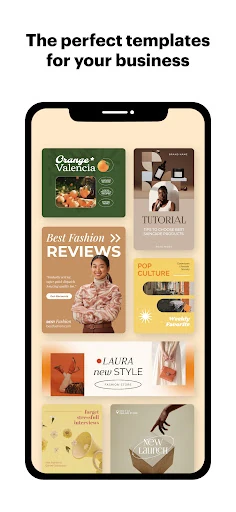
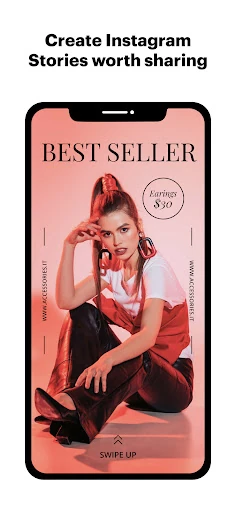
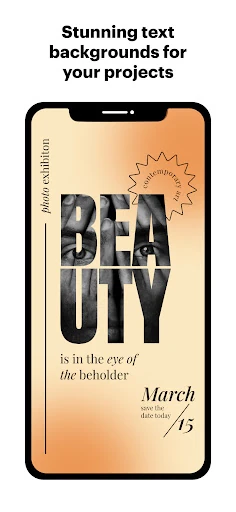
- Expansive Library of 200,000+ Templates: Provides a head start for any project, reducing creative block and saving time for users who need inspiration or quick solutions for various design categories.
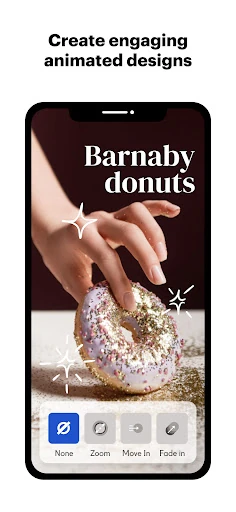
- Advanced Animation & Video Features: Enables users to add dynamism to their content, making it more engaging for social media and marketing, thus solving the need for standalone video editing tools.
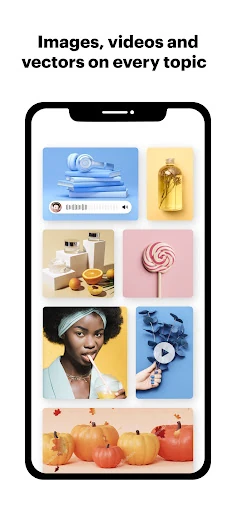
- Premium Stock Assets: Grants access to millions of royalty-free media, eliminating the hassle of sourcing and licensing content, and the AI Image Generator offers unique visuals, enhancing creativity without extra cost.
- Seamless Brand Integration: The Brand Kit feature ensures consistency across all designs, which is crucial for businesses and influencers needing to maintain a cohesive brand identity easily.
- Intelligent Resizing (Magic Resize): Automatically adapts designs to multiple formats, solving the tedious task of manually resizing content for different platforms, saving significant time and effort.
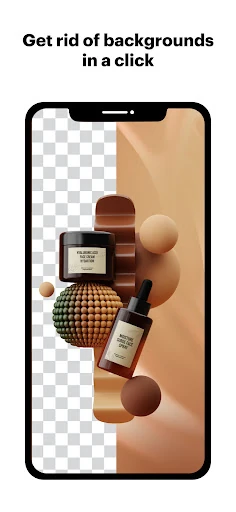
- Powerful Editing Tools: From background removal to filters, these tools allow users to refine images and videos to perfection, addressing common editing needs without requiring external software.
- Cloud Storage & Collaboration: Safely stores projects and enables team collaboration, solving issues of data loss and facilitating remote work on design projects.
- Direct Social Sharing: Allows instant publishing to social platforms, streamlining the workflow from creation to distribution, which is essential for content creators and marketers.
🎨 User Experience & Design
Given its target in the Art & Design category, VistaCreate likely emphasizes a clean, visually appealing interface that prioritizes user intuition. The drag-and-drop functionality and extensive template library suggest a focus on reducing cognitive load, enabling users to focus on creativity rather than tool complexity. For this category, where aesthetic sensitivity and ease of expression are key, the app appears designed to balance powerful features with simplicity, ensuring that both novices and professionals can achieve desired outcomes without steep learning curves. However, the true test would be in the responsiveness and fluidity of the editing experience on mobile devices.
⚖️ Pros & Cons Analysis
- ✅ The Good: Offers a vast template library and stock assets, significantly reducing design time and resource gathering.
- ✅ The Good: Integrates brand management tools, which are essential for business users seeking consistency.
- ✅ The Good: Includes advanced features like animation and video editing in a single app, providing comprehensive creative capabilities.
- ❌ The Bad: The sheer number of features might overwhelm absolute beginners, despite the intuitive interface.
- ❌ The Bad: As a mobile app, it may have limitations compared to desktop software in terms of precision and processing power for complex projects.
- ❌ The Bad: Premium stock assets and advanced features likely require a subscription, which could be a barrier for casual users.
🛠️ Room for Improvement
To enhance its value, VistaCreate could introduce more advanced typography controls for fine-tuning text design, a feature often sought by professional designers. Additionally, improving offline capabilities for core editing functions would benefit users with limited connectivity. Integrating user feedback mechanisms within the app could help gather insights for iterative updates, and offering more customizable workspace layouts would cater to power users who prefer tailored workflows.
🏁 Final Conclusion & Recommendation
VistaCreate: Graphic Design is ideally suited for small business owners, social media managers, marketers, and aspiring designers who need a versatile, all-in-one tool for creating visual content on the go. Its blend of accessibility and advanced features makes it a strong recommendation for anyone looking to produce professional-quality designs without investing in complex desktop software. However, for large-scale, high-precision design work, desktop alternatives might still be preferable. Overall, it's a robust mobile solution that effectively bridges the gap between simplicity and functionality in the Art & Design space.