Click to download now, finish the installation quickly, and directly unlock the "all-round experience"
About This App
🏆 Expert Verdict & Overview
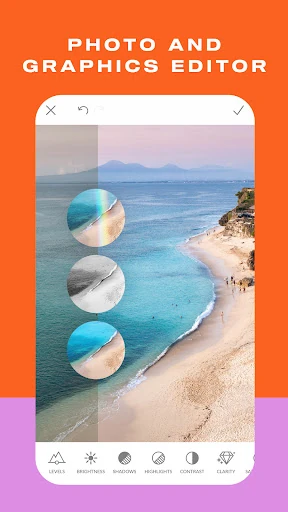
PicMonkey Photo Editor positions itself as a versatile powerhouse within the mobile Photography category, aiming to serve both casual users and content creators. It merges robust desktop-grade editing tools with a mobile-first approach, focusing heavily on enhancing social media presence and small business branding. Unlike simpler filter apps, PicMonkey targets users who seek creative control and professional-looking results directly from their smartphone, attempting to bridge the gap between quick edits and comprehensive design.
🔍 Key Features Breakdown
- Social-First Templates & Resizing: Solves the critical pain point of formatting content for different platforms by offering pre-made canvas sizes for Instagram, Facebook, Etsy, etc., ensuring optimal display and saving significant manual cropping time.
- Advanced Portrait Touch-Up Tools: Addresses the universal need for polished profile pictures and portraits with dedicated, granular tools for complexion, contouring, and teeth whitening, moving beyond basic "beauty filters" to offer professional-level retouching.
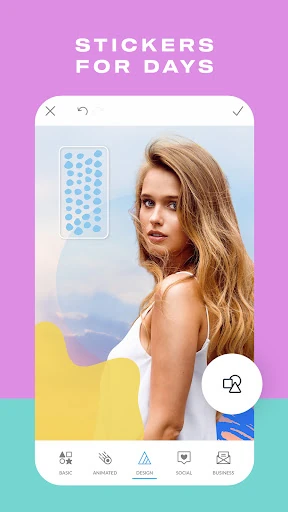
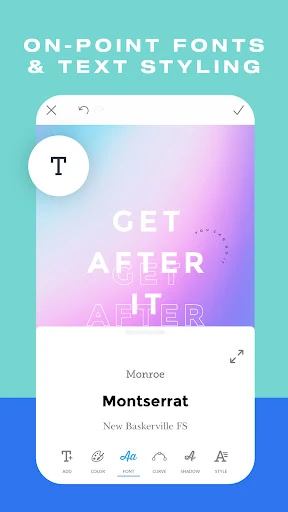
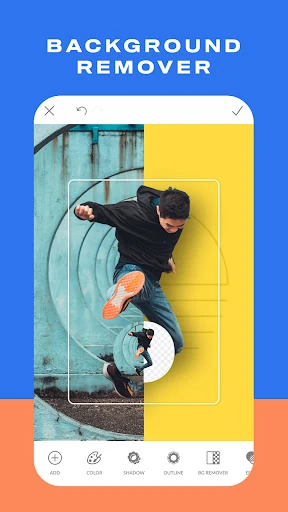
- Integrated Graphic Design Elements: Tackles the challenge of creating branded graphics by allowing users to add stickers, overlays (including custom logos with transparency), and styled text, effectively functioning as a lightweight design studio within a photo editor.
- Cross-Platform Continuity & Cloud Storage: Resolves workflow fragmentation by enabling users to start a project on mobile and seamlessly continue editing on desktop, ensuring projects are never stuck on a single device and encouraging ongoing refinement.
- "Presto" Automatic Adjustments: Caters to users lacking technical editing skills or those in a hurry by providing one-tap enhancements, democratizing good baseline photo correction and improving the initial edit quality instantly.
🎨 User Experience & Design
For a Photography app, the UI/UX must prioritize intuitiveness and speed without sacrificing creative power. PicMonkey's interface appears designed to manage its complexity through categorization and progressive disclosure. Features like a clear separation between "Photo Edit" and "Design" modes, along with easily accessible social template sizes, suggest an understanding of user intent. However, the mention of multiple in-app purchases indicates a potential for a fragmented experience, where core desirable features (like advanced touch-up tools) are gated, which can disrupt the creative flow and frustrate users expecting a cohesive, all-in-one tool upon first use, a common challenge in this category.
⚖️ Pros & Cons Analysis
- ✅ The Good: Exceptional breadth of features bridging photo editing and graphic design.
- ✅ The Good: Strong focus on practical outcomes for social media and e-commerce users.
- ✅ The Good: Valuable cross-platform sync that enables a flexible, hybrid workflow.
- ❌ The Bad: Core advanced features (portrait tools, cloud sync) locked behind in-app purchases, creating a potential paywall.
- ❌ The Bad: Risk of a cluttered or overwhelming interface for beginners due to the sheer number of tools and options.
- ❌ The Bad: Heavy emphasis on social templates may limit perceived utility for users focused on pure photography rather than content creation.
🛠️ Room for Improvement
The most significant area for improvement lies in its monetization and onboarding strategy. Introducing a more robust free tier with limited access to premium tools (e.g., 3 uses per week) would allow users to genuinely experience the value before committing. Secondly, a "Guided Mode" or interactive tutorial for first-time users, walking them through a complete project creation, would drastically reduce the learning curve. Finally, adding basic collaborative features, such as the ability to share an editable project link for feedback, would cater to small business teams and elevate it from a personal tool to a collaborative workspace.
🏁 Final Conclusion & Recommendation
PicMonkey Photo Editor is highly recommended for social media managers, small business owners, influencers, and serious hobbyists who need to produce a high volume of branded, visually polished content directly from their mobile device. Its strength is not in replacing professional desktop software like Photoshop, but in providing a remarkably capable all-in-one solution for on-the-go creation. Casual users who only need basic filters may find it over-featured, but for its target audience of content creators, it is a powerful and efficient tool worthy of consideration, with the caveat that unlocking its full potential requires a financial investment.