Galaxy Wearable
Samsung Electronics Co., Ltd.
Downloads
1,000,000,000+
Version
Latest
Advertisement
Click to download now, finish the installation quickly, and directly unlock the "all-round experience"
Advertisement
Screenshots
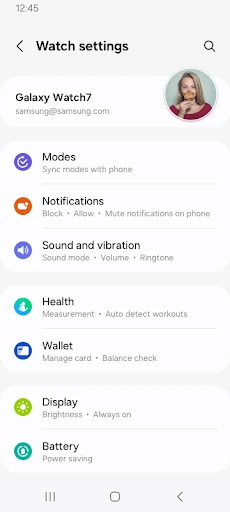
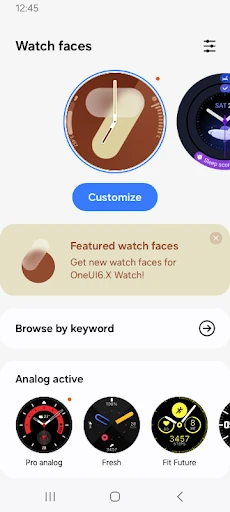
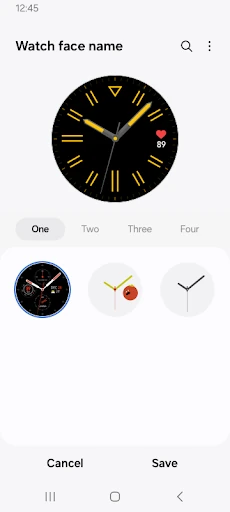
Click to download now, finish the installation quickly, and directly unlock the "all-round experience"
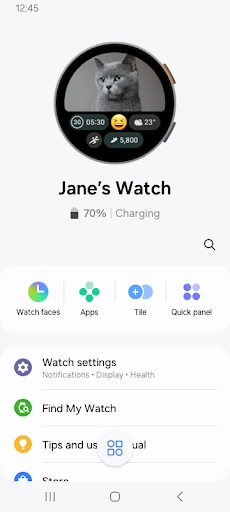
The Galaxy Wearable application serves as the central orchestration hub for Samsung’s vast ecosystem of smartwatches, fitness trackers, and wireless earbuds. Within the Tools category, it represents a sophisticated bridge between mobile hardware and peripheral software, ensuring that wearables function as seamless extensions of the primary device. Its professional-grade utility lies in its ability to centralize firmware updates, device security, and hardware customization into a single interface. For users within the Samsung ecosystem, it is not merely an optional utility but a foundational component required to unlock the full potential of their wearable technology.
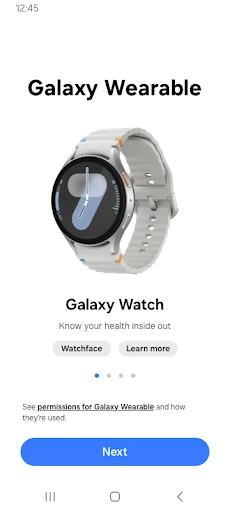
The UI of Galaxy Wearable adheres to the modern standards expected of top-tier Tools applications, featuring a clean, card-based layout that prioritizes legibility and ease of navigation. The design language is consistent with Samsung’s One UI, making it feel native to the device. From a UX perspective, the onboarding flow is intuitive, guiding users through complex Bluetooth permissions with minimal friction. However, the experience can occasionally feel fragmented because the app acts as a shell that requires additional "Plugins" to be installed for specific hardware models, a design choice that adds slight overhead to the initial setup process.
To further elevate the user experience, Samsung should look toward consolidating the various hardware plugins into a single, unified binary to reduce app fragmentation. Additionally, improving the offline capabilities of the "Find my Watch" feature through community-based mesh networking would be a significant upgrade. Lastly, providing more robust tablet support for the smartwatch management side of the app (currently limited primarily to Galaxy Buds) would benefit users who prefer managing their devices on a larger screen.
The Galaxy Wearable app is a mandatory utility for any consumer owning a Samsung Galaxy Watch, Gear, or Buds series device. Its target audience ranges from fitness enthusiasts tracking health metrics to professionals looking to streamline their digital notifications. It is a robust, reliable, and essential tool that effectively transforms a standalone wearable into a highly integrated component of the user's digital life. If you own a Samsung wearable, this app is the definitive gateway to its full feature set.