🏆 Expert Verdict & Overview
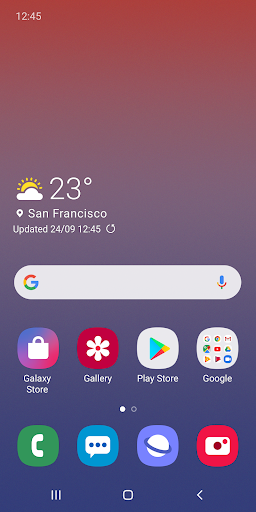
Samsung One UI Home stands as the essential interface layer for modern Galaxy devices, representing the evolution from Samsung Experience Home. In the crowded Personalization landscape, it distinguishes itself as a deeply integrated system launcher rather than a third-party skin. This official status provides a cohesive and optimized user experience that is fundamentally tailored to Samsung's hardware and ecosystem, offering a blend of familiar Android concepts with manufacturer-specific enhancements for navigation and control.
🔍 Key Features Breakdown
- Full Screen Gesture Navigation: Replaces traditional navigation buttons with swipe gestures, maximizing screen real estate and enabling a more immersive, modern interaction model for switching between apps.
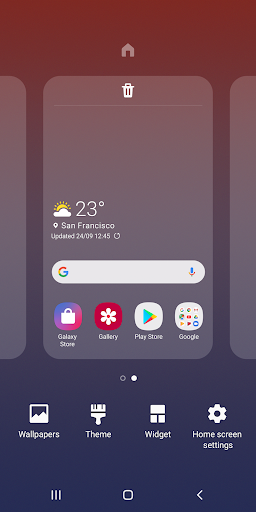
- Home Screen Layout Lock: Prevents accidental reorganization of icons and widgets, a crucial feature for users who have perfected their home screen setup or who share devices, adding a layer of stability to the user interface.
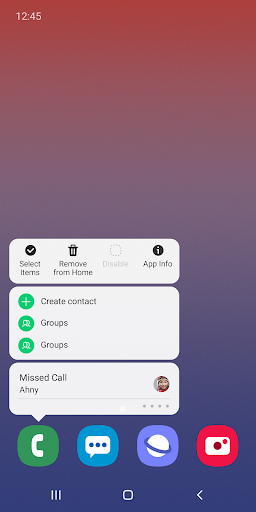
- Direct Contextual Actions (Touch & Hold): Provides direct access to App Info and Widget settings, eliminating the friction of navigating through multiple system menus and streamlining device management tasks.
🎨 User Experience & Design
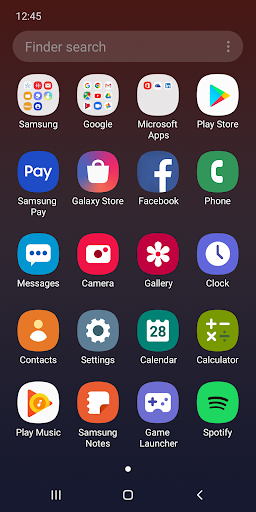
The UX philosophy of One UI Home revolves around reducing visual clutter and focusing the user's attention on content. The "simple screen layout" and "neatly arranged icons" mentioned align with core principles of the Personalization category: providing a clean, customizable, and intuitive foundation. The integration of system-wide gestures and the polished, consistent aesthetic across native apps and widgets create a seamless experience. For a system-level launcher, its UX success is measured by its unobtrusiveness and reliability, allowing users to personalize without fighting the interface.
⚖️ Pros & Cons Analysis
- ✅ The Good: Seamless, performance-optimized integration with Samsung Galaxy hardware and software services.
- ✅ The Good: Thoughtful features like layout lock and quick settings access demonstrate a user-centric design approach aimed at preventing frustration.
- ✅ The Good: Minimal permission requirements enhance user privacy, with only optional access needed for specific restoration functions.
- ❌ The Bad: Feature availability is heavily fragmented, dependent on specific device models and Android OS versions, creating an inconsistent experience across the Galaxy portfolio.
- ❌ The Bad: As a default system app, it offers less radical visual customization compared to many third-party launchers available on the Play Store.
- ❌ The Bad: Support is funneled through the Samsung Members app, which may add an extra step for users seeking help.
🛠️ Room for Improvement
The primary area for enhancement lies in feature parity and transparency. A clear, in-app matrix showing which features are available on the user's specific device/OS version would manage expectations. Future updates could explore more granular customization options for the gesture system and home screen grid, appealing to power users without compromising the clean aesthetic. Additionally, integrating basic support or FAQs directly within the app's settings menu would improve accessibility.
🏁 Final Conclusion & Recommendation
This app is unequivocally for users of Samsung Galaxy devices who value a stable, cohesive, and visually polished out-of-the-box experience. It is not aimed at tinkerers seeking limitless customization. The final verdict is that Samsung One UI Home is a highly competent and thoughtfully designed system launcher that excels at providing a reliable and integrated foundation for the Galaxy ecosystem. For most Samsung users, it represents the optimal default choice, though enthusiasts may still look to third-party alternatives for deeper personalization.