Videoleap: AI Video Editor

Videoleap: AI Video Editor

Lightricks Ltd.
Advertisement
4.5
Video Players & Editors
10,000,000+ Downloads

Click to download now, finish the installation quickly, and directly unlock the "all-round experience"

Advertisement

Screenshots
Screenshot
Screenshot
Screenshot
Screenshot
Screenshot
Screenshot
Screenshot
Screenshot

About This App

๐Ÿ† Expert Verdict & Overview

Videoleap: AI Video Editor is a comprehensive and ambitious contender within the crowded Video Players & Editors landscape. It distinguishes itself by aggressively integrating AI-powered generation and enhancement tools into a traditionally manual workflow, positioning itself as a one-stop solution for creating social-first video content. This strategy squarely targets the modern creator who values speed, polish, and platform-specific formatting without a steep learning curve, effectively bridging the gap between casual smartphone editors and professional desktop-grade software.

๐Ÿ” Key Features Breakdown

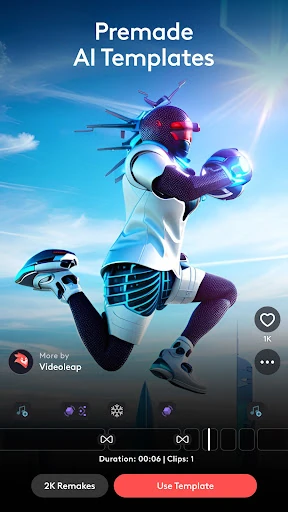
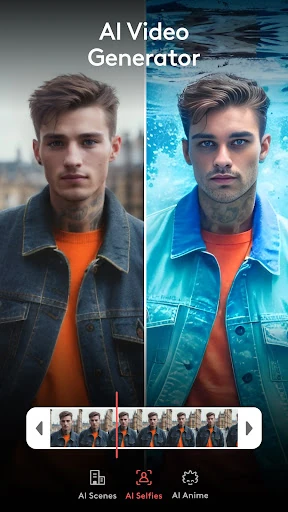
  • AI Video Generator & Enhancer: This directly addresses the core problem of "blank canvas syndrome" and quality concerns. By offering automated content creation and one-tap quality upgrades (like 4K enhancement), it significantly lowers the barrier to entry and accelerates the initial production phase for users of all skill levels.
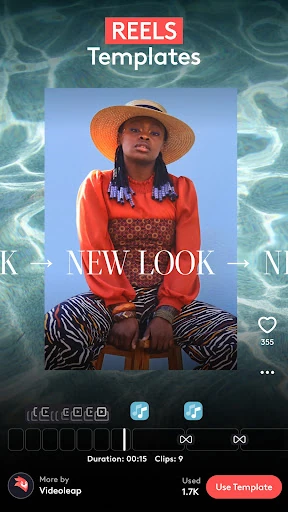
  • Platform-Optimized Reel Templates: Solves the time-consuming problem of manually formatting videos for Instagram, TikTok, and YouTube Shorts. Pre-made templates that follow current trends allow users to produce relevant, stylish content quickly, ensuring their work meets platform specifications and audience expectations by default.
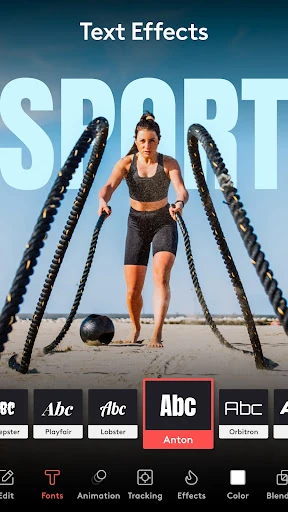
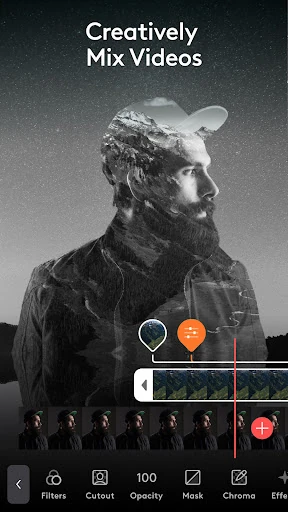
  • Layer-Based Editing with Advanced Tools: Caters to the advanced user's need for creative control and complex compositions within a mobile environment. Features like masking, blending, and multi-layer management provide the depth required for professional-looking results, preventing power users from hitting a technical ceiling.
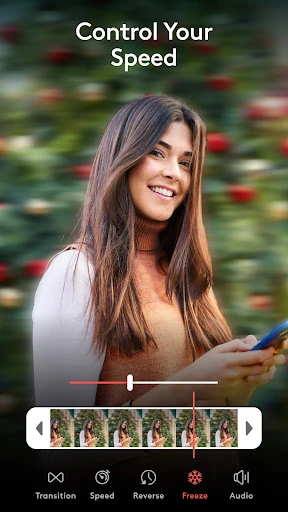
  • Specialized Effects & Speed Controls: Targets the desire for distinctive, cinematic styling and dynamic pacing. Tools for glitch, VHS, and chromatic effects, combined with precise speed ramping, solve the problem of creating engaging, mood-driven content that stands out in a fast-scrolling social feed.

๐ŸŽจ User Experience & Design

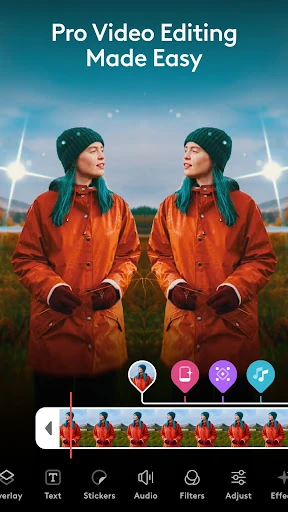
The interface appears designed to manage a significant complexity gradient. It promises ease of use for beginners through guided templates and one-click AI actions, which is a critical expectation for the Video Editors category where intimidation is a major drop-off point. For more experienced users, the inclusion of a layer-based system and pro tools suggests a non-linear, panel-driven UI that can become complex. The success of its UX hinges on how intuitively it surfaces advanced features without overwhelming novice users, a key challenge for any editor aiming to serve a broad audience.

โš–๏ธ Pros & Cons Analysis

  • โœ… The Good: Exceptional breadth of tools, combining AI automation with professional-grade manual controls.
  • โœ… The Good: Strong focus on social media formats with ready-to-use templates, drastically reducing production time.
  • โœ… The Good: High-quality enhancement features that can elevate smartphone footage to a more professional level.
  • โŒ The Bad: The extensive feature set likely comes with a subscription-based monetization model, which can be a barrier for casual users.
  • โŒ The Bad: The learning curve for mastering advanced features like layer editing and masking may be steep for users transitioning from simpler apps.
  • โŒ The Bad: Risk of interface clutter or feature overload, potentially making simple tasks more complicated than necessary for true beginners.

๐Ÿ› ๏ธ Room for Improvement

A key area for development would be a more sophisticated onboarding and adaptive interface. Implementing a context-aware "Assistant" mode that simplifies the UI based on the user's selected template or stated goal (e.g., "Quick Reel" vs. "Advanced Composite") would cater to both user segments more effectively. Furthermore, adding cloud-based collaborative features for team projects or client reviews would significantly increase its utility for the professional business and marketing audience it targets.

๐Ÿ Final Conclusion & Recommendation

Videoleap is a powerful recommendation for content creators, social media managers, and marketing professionals who need to produce a high volume of polished, platform-specific video content on a mobile device. It is equally suitable for dedicated hobbyists ready to graduate from basic editors. However, absolute beginners looking solely for simple, fast cuts may find its full capabilities excessive. For its target audience, it stands as a premier, all-in-one mobile solution that successfully leverages AI to streamline the video creation process without sacrificing creative depth.