Open Camera

Open Camera

Mark Harman
Advertisement
4.1
Photography
100,000,000+ Downloads

Click to download now, finish the installation quickly, and directly unlock the "all-round experience"

Advertisement

Screenshots
Screenshot
Screenshot
Screenshot
Screenshot

About This App

🏆 Expert Verdict & Overview

Open Camera emerges as a formidable and sophisticated tool within the Photography category, standing in stark contrast to the often limited and ad-laden stock camera applications on Android. It is not merely an alternative but a feature-rich platform that democratizes advanced photographic control. By harnessing the full potential of your device's camera hardware and the Android Camera2 API, it positions itself as the definitive choice for users who seek intentionality and creative freedom in their mobile photography, from casual enthusiasts to aspiring professionals.

🔍 Key Features Breakdown

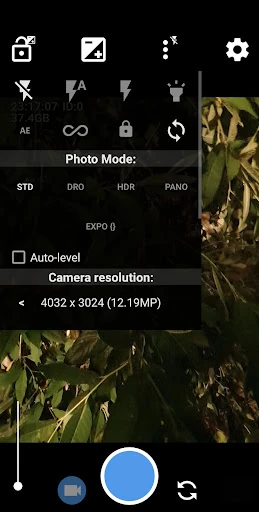
  • Comprehensive Manual Controls & Camera2 API Integration: Unlocks professional-grade settings like manual focus, exposure, ISO, RAW (DNG) capture, and burst mode, solving the problem of creative limitation imposed by automatic smartphone cameras and providing a DSLR-like experience on a mobile device.
  • Advanced Shooting Modes (HDR, Panorama, Noise Reduction): Addresses common mobile photography challenges such as high-contrast scenes, capturing wide vistas, and poor low-light performance, ensuring high-quality results in diverse conditions.
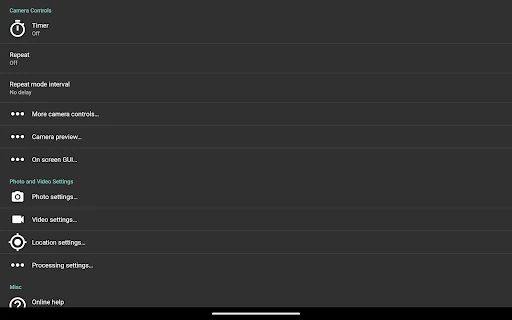
  • Robust Remote Control & Automation: Features like timers, auto-repeat, noise activation, and Bluetooth LE control solve the problem of hands-free operation, enabling self-portraits, group shots, and time-lapse photography without needing extra hardware.
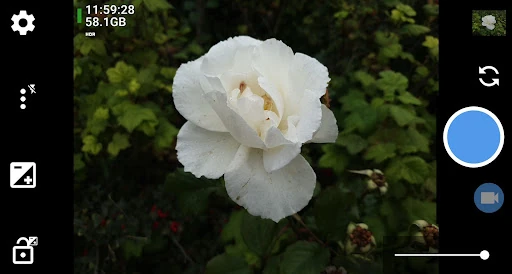
  • Professional Composition & Feedback Tools: Grids, crop guides, on-screen histogram, zebra stripes, and focus peaking solve the problem of guesswork in composition and exposure, providing real-time visual feedback to achieve technically perfect shots.
  • Privacy-Focused Metadata Control: The option to remove EXIF metadata and the absence of third-party ads directly solve growing user concerns about data privacy and intrusive advertising within utility apps.
  • Geotagging & Custom Overlays: Allows users to embed precise location, compass direction, date, and custom text into photos and videos, solving the problem of organizing and cataloging media for travel, documentation, or professional work.

🎨 User Experience & Design

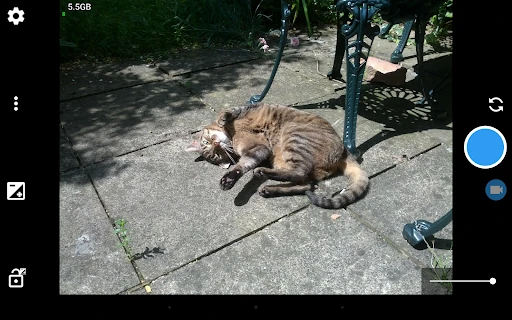
The user interface of Open Camera prioritizes function and configurability over minimalist design, which is a fitting approach for its power-user target audience. While the sheer number of options can appear daunting initially, the highly configurable UI—including volume key remapping and layout adjustments—allows users to tailor the experience to their workflow. The inclusion of an upside-down preview for attachable lenses and clear visual feedback tools like focus peaking demonstrates a UX philosophy deeply rooted in solving real-world photographer problems. It leans towards utility and control, which, while not the most aesthetically streamlined, provides an efficient and powerful workspace for serious photography.

⚖️ Pros & Cons Analysis

  • ✅ The Good: Offers an unparalleled depth of manual camera controls and shooting modes for an Android app, rivaling paid alternatives.
  • ✅ The Good: Completely free and open-source, with a principled stance against third-party advertisements within the application.
  • ✅ The Good: Highly customizable interface and controls, adapting to various user preferences and accessory setups.
  • ✅ The Good: Includes advanced, pro-level features like RAW capture, focus bracketing, and log profile video that are typically found in premium apps.
  • ❌ The Bad: The complexity of options may overwhelm casual users seeking a simple point-and-shoot experience.
  • ❌ The Bad: Feature availability is subject to device hardware and Android version fragmentation, leading to potential inconsistency across the ecosystem.
  • ❌ The Bad: As noted by the developer, the app cannot be tested on all devices, which may result in stability issues on some hardware.

🛠️ Room for Improvement

To elevate the app further, future updates could focus on enhancing approachability. Implementing a contextual "guided mode" or interactive tutorials for key features like manual exposure or HDR would lower the entry barrier for new users. A more sophisticated scene recognition auto-mode, leveraging the manual controls as a foundation, could cater to quick shooting scenarios. Furthermore, developing a more structured in-app learning hub linking to the website's resources would centralize user education. Finally, exploring cloud-based community-driven device compatibility logging could help users gauge feature support on their specific model before diving in.

🏁 Final Conclusion & Recommendation

Open Camera is unreservedly recommended for Android users who view their smartphone as a legitimate creative tool. Its target audience is the technically curious photographer, the hobbyist wanting to learn the principles of exposure, the traveler needing robust geotagging, or anyone frustrated by the limitations of their default camera app. While its complexity is a deliberate trade-off, the payoff in control and capability is immense. For those willing to explore its settings, Open Camera is not just an app; it's a comprehensive photography workshop in your pocket, and it's remarkable that such power is offered freely and openly.