Android Auto

Android Auto

Google LLC
Advertisement
4.1
Auto & Vehicles
10,000,000,000+ Downloads

Click to download now, finish the installation quickly, and directly unlock the "all-round experience"

Advertisement

Screenshots
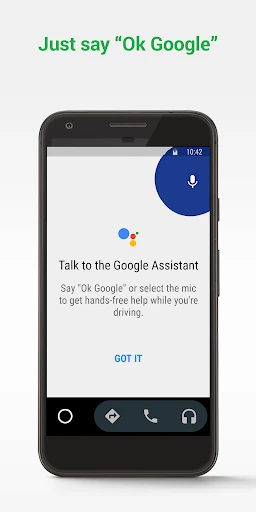
Screenshot
Screenshot
Screenshot
Screenshot
Screenshot

About This App

🏆 Expert Verdict & Overview

Android Auto is the definitive software bridge for the modern driver, seamlessly integrating your Android smartphone's core functions into your car's infotainment system. As a cornerstone of the Auto & Vehicles category, it successfully transforms a potentially distracting device into a safe, focused, and convenient co-pilot. Its core value proposition hinges on leveraging Google's ecosystem, particularly the Google Assistant, to deliver hands-free, voice-first interaction designed to keep the driver's attention on the road. This is not merely an app launcher; it is a context-aware platform built specifically for the driving environment.

🔍 Key Features Breakdown

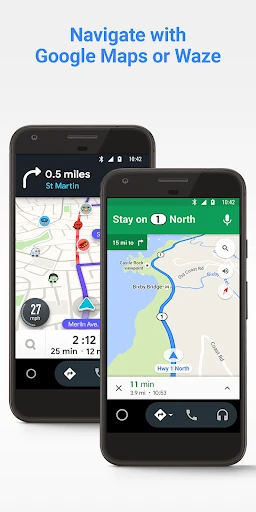
  • Destination Routing & Real-Time Nav: Integrates leading apps like Google Maps and Waze, solving the problem of navigation complexity and traffic uncertainty by providing live directions, ETAs, and hazard alerts.
  • Voice-First Google Assistant: It fundamentally solves the problem of manual interaction, allowing drivers to set reminders, get news, check scores, or access their calendar through simple voice commands, minimizing distraction.
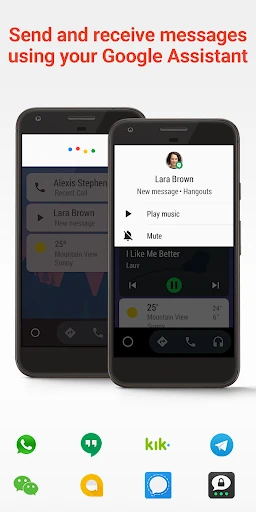
  • Comprehensive Communication Hub: Addresses the need to stay connected safely by enabling voice-controlled calls and message sending/receiving across a vast array of SMS and messaging platforms like WhatsApp, Telegram, and SMS.
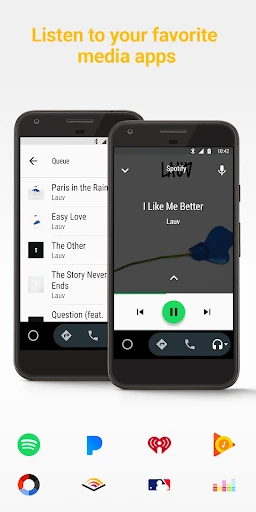
  • Centralized Media Management: Solves the issue of toggling between multiple audio apps by aggregating top music, radio, podcast, and audiobook services like Spotify, Pandora, and Amazon Music into a single, simplified interface.
  • Driving-Focused Do Not Disturb: Directly tackles the distraction of incoming notifications by allowing users to set a custom auto-reply, managing the expectations of those trying to contact them while driving.

🎨 User Experience & Design

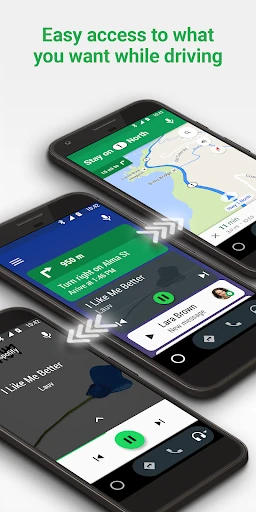
The UI is purpose-built for the high-attention-demand environment of a moving vehicle. Large, easily-tappable buttons and a clean, simple layout adhere to automaker design languages, eschewing visual clutter for clear information hierarchy. The UX prioritizes glanceability and voice interaction, which are the gold standards for the Auto & Vehicles category. The initial setup process is clearly communicated and standardized, while the core interaction loop of "Listen, Speak, Glance, Confirm" is intuitive and reduces cognitive load. The interface successfully abstracts the complexity of the underlying smartphone, presenting a specialized, driver-optimized layer.

⚖️ Pros & Cons Analysis

  • ✅ The Good: Exceptional voice control via Google Assistant enables true hands-free operation, dramatically increasing safety.
  • ✅ The Good: Extensive app compatibility covers navigation, communication, and media needs, creating a one-stop platform.
  • ✅ The Good: Optimized, distraction-minimizing interface with large touch targets and clear visual design.
  • ❌ The Bad: Requires a compatible vehicle or aftermarket head unit and a specific, high-quality USB cable, creating a hardware barrier to entry.
  • ❌ The Bad: Heavy reliance on a stable data connection for core features like navigation, Assistant queries, and media streaming.

🛠️ Room for Improvement

While robust, the platform could benefit from enhanced customization. Allowing users to prioritize or pin their most-used apps directly on the home screen would improve efficiency. Introducing smarter, predictive information—such as proactively suggesting a navigation route to a scheduled calendar appointment—would elevate the "smart companion" aspect. Expanding support for controlling vehicle functions (climate, seating) via the interface, as seen in some native OEM systems, could be a significant value-add for compatible vehicles. Addressing connectivity robustness with better error-state messaging would also improve user experience during signal drops.

🏁 Final Conclusion & Recommendation

Android Auto is a must-have for any Android user who regularly drives a compatible vehicle. Its target audience is the connected commuter or frequent traveler who relies on navigation, media, and communication but prioritizes road safety. The app expertly solves the core dilemma of the digital driver: the need to access phone-based functions without the dangerous distraction of handling the phone. By mastering voice interaction and delivering a simplified, car-appropriate interface, it earns a strong recommendation for significantly enhancing and safeguarding the in-car experience.