🏆 Expert Verdict & Overview
Airbrush: Face & Photo Editor stands as a premier solution in the mobile photography landscape, offering a sophisticated blend of AI-driven retouching and creative flexibility. In a market often saturated with superficial filters, Airbrush distinguishes itself by providing professional-grade tools that emphasize "natural beauty" rather than digital distortion. It serves as a bridge between casual social media editing and high-end post-production, making it a staple for anyone looking to refine their digital presence with surgical precision and artistic flair.
🔍 Key Features Breakdown
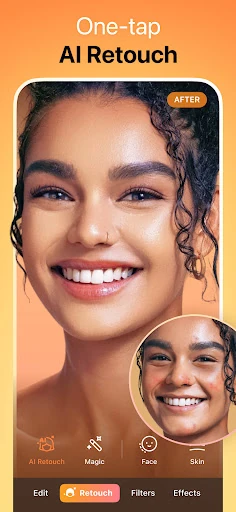
- AI Retouch & Precision Tools: Solves the frustration of manual editing by automatically identifying and refining facial details, saving users hours of tedious work.
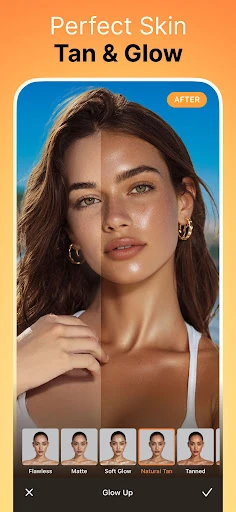
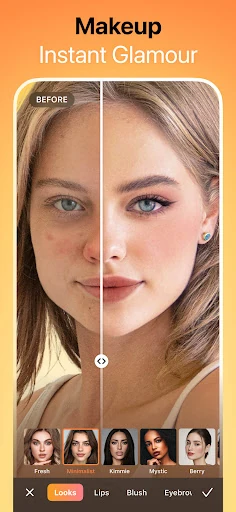
- Blemish & Texture Management: Addresses common skin insecurities through seamless blemish removal and skin smoothing that maintains natural skin texture rather than a "plastic" look.
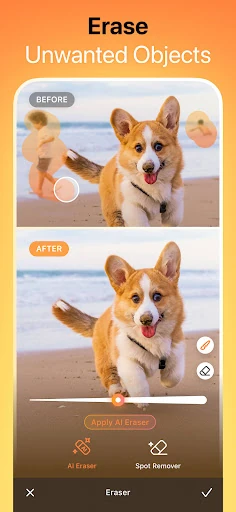
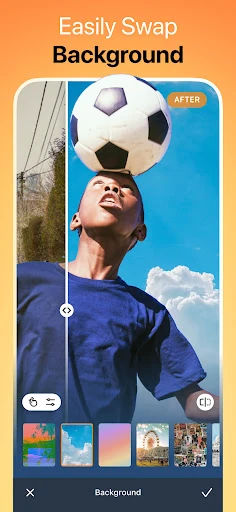
- Background & Object Eraser: Solves the problem of photobombers or cluttered environments by allowing users to remove unwanted elements or replace backgrounds entirely with one tap.
- Real-time Video Beautification: Extends the power of photo retouching into the realm of motion, allowing creators to maintain a polished look across video stories and reels.
- AI Headshot Generator: Provides a high-value alternative to professional studio photography, allowing users to generate corporate-quality portraits for LinkedIn and portfolios.
🎨 User Experience & Design
The interface of Airbrush is a masterclass in functional minimalism within the photography category. The UI is designed to keep the image at the center of the experience, with tools organized logically in a bottom-weighted menu for easy one-handed navigation. The UX is bolstered by "real-time" processing, where sliders provide immediate visual feedback, allowing for granular control. The "before/after" toggle is intuitively placed, ensuring users never lose sight of their original image's authenticity while experimenting with the app's powerful AI engines.
⚖️ Pros & Cons Analysis
- ✅ The Good: The AI algorithms are exceptionally well-tuned, consistently producing realistic results that avoid the "uncanny valley" effect common in other beauty apps.
- ✅ The Good: An expansive library of over 300 presets and 400 filters ensures that users can achieve a unique aesthetic without needing professional editing skills.
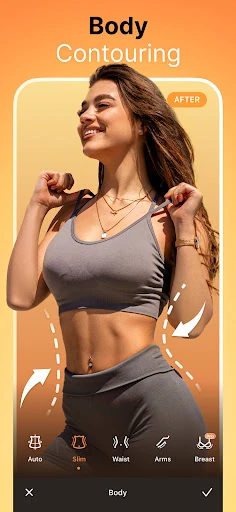
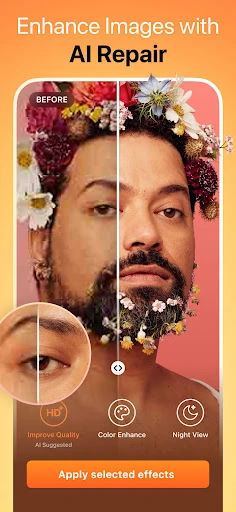
- ❌ The Bad: The most innovative features, including high-end AI repair and specific retouching tools, are strictly locked behind a premium subscription.
- ❌ The Bad: The resource-intensive nature of the video enhancement tools can cause performance lag or device heating on older smartphone models.
🛠️ Room for Improvement
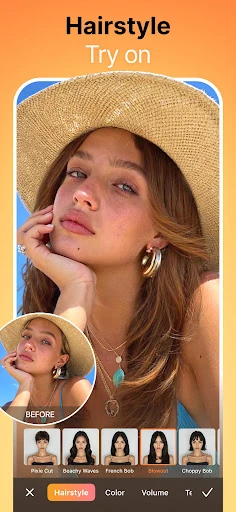
While the app is feature-rich, the next iteration could benefit from more robust batch-processing capabilities, allowing users to apply the same retouching settings across an entire album of photos simultaneously. Additionally, expanding the "Mood Swapper" and "Style Explorer" to include more diverse, non-binary, and gender-neutral aesthetic options would further broaden the app's appeal in a global market.
🏁 Final Conclusion & Recommendation
Airbrush: Face & Photo Editor is the definitive tool for influencers, professionals, and casual users who demand high-quality visual content. Its focus on "authentic charm" combined with powerful AI makes it the superior choice for those who find standard filters too restrictive. If you are looking to elevate your social media game or produce studio-quality portraits from your pocket, Airbrush is an essential download that delivers on its promise of excellence in every shot.