Click to download now, finish the installation quickly, and directly unlock the "all-round experience"
About This App
🏆 Expert Verdict & Overview
US Public Lands carves out a unique and highly specialized niche within the crowded Travel & Local category. It directly addresses a significant pain point for outdoor enthusiasts, adventurers, and RV travelers: the daunting complexity of navigating federal land ownership boundaries. By digitizing and overlaying authoritative agency data onto familiar base maps, this app transitions the user from passive trip planner to an informed wilderness navigator, fundamentally changing how one interacts with America's vast public spaces. It's less a general travel guide and more a critical piece of navigational infrastructure for specific, high-stakes use cases.
🔍 Key Features Breakdown
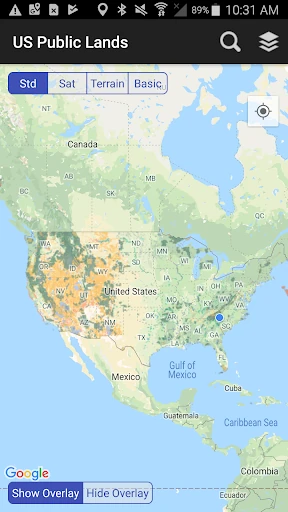
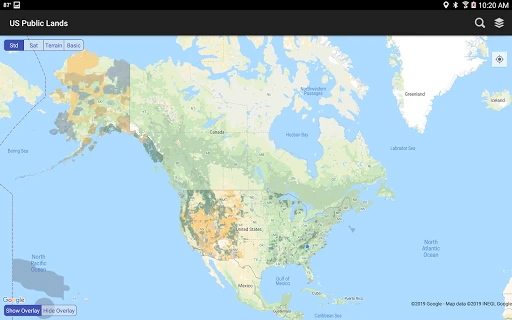
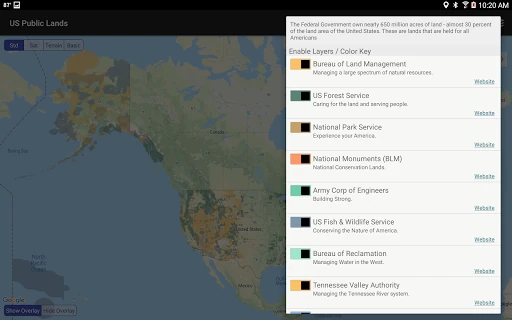
- Multi-Agency Offline Map Layers: By storing vector boundaries for nine distinct federal agencies (BLM, NPS, USFS, etc.) directly on the device, the app solves the core problem of accessibility in remote areas with no cellular signal. Users can confidently identify land jurisdiction anywhere, anytime, eliminating the need for unreliable paper maps or spotty online searches.
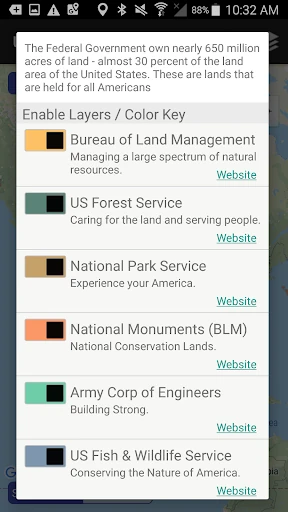
- Agency Website Integration: This feature creates a direct bridge from visual location identification to actionable regulatory information. By providing links to official agency sites, it streamlines the otherwise tedious process of researching specific land-use rules, permits, and restrictions, turning the app into a centralized research hub.
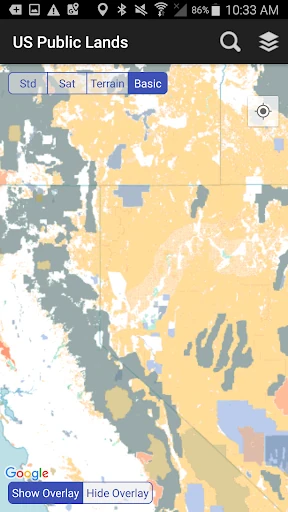
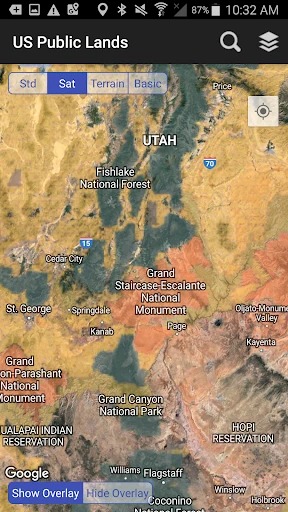
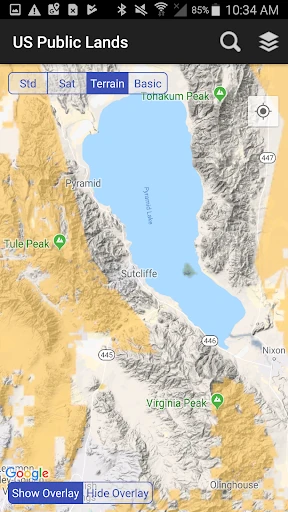
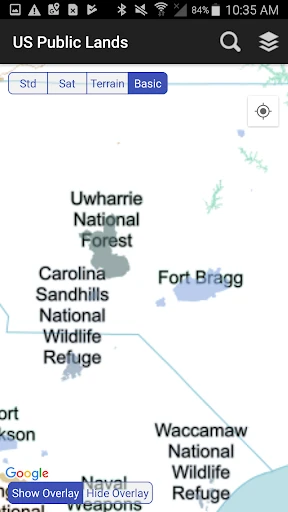
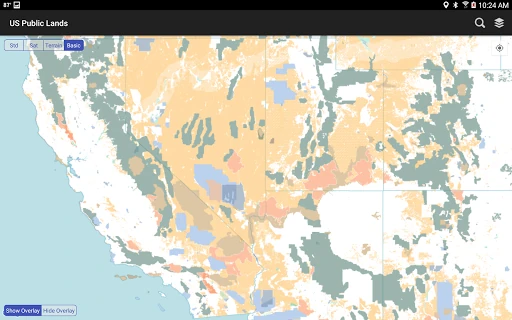
- Dynamic Layer Toggling & Customization: The color-coded layer system allows users to de-clutter the map view and focus only on relevant agencies (e.g., a BLM-focused boondocker can hide National Park boundaries). This solves the problem of visual overload and tailors the tool to highly specific trip parameters.
- GPS Location Pinpointing: The "Locate Me" function provides immediate context awareness. It instantly answers the most fundamental question for a user in the field: "What kind of public land am I on right now?" This is invaluable for spontaneous exploration and ensuring compliance with local regulations.
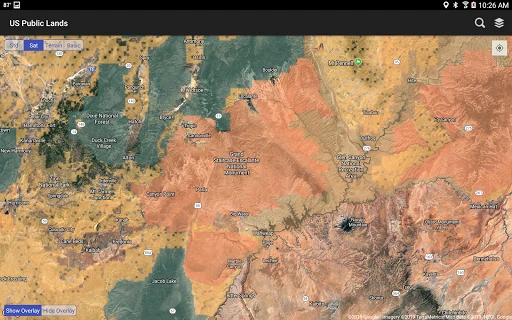
- Scouting-Optimized Satellite Overlay: By allowing satellite imagery to be viewed beneath the public land boundaries, the app becomes a powerful scouting tool for dispersed camping, trail finding, and route planning. It directly aids in the practical "where to go" after the "where can I go" question is answered by the agency layers.
🎨 User Experience & Design
The UI adopts a functionally minimalist approach prioritizing utility over aesthetic flourish, which is appropriate for its utilitarian purpose. The map-centric interface with persistent, clearly labeled icon controls (Layers, Map type, Locate, Search) aligns with core UX principles for navigation apps: immediate access to primary tools. The color-coding of agency layers is a smart design choice that enhances learnability and quick visual parsing. However, the experience heavily relies on user familiarity with map interaction paradigms. For the core audience in the Travel & Local category—often tech-savvy outdoorspeople—this is likely sufficient, but a first-time tutorial or more prominent onboarding for key features like layer toggling could improve initial adoption. The offline-first architecture is the pinnacle of its UX, providing robust, reliable performance exactly where and when it's needed most, which is the gold standard for any travel tool venturing beyond connectivity.
⚖️ Pros & Cons Analysis
- ✅ The Good: Unparalleled offline functionality for federal land mapping solves a major gap in the outdoor tool market.
- ✅ The Good: Data is sourced from the authoritative USGS PAD-US database, lending crucial credibility.
- ✅ The Good: Highly practical for specific use cases like boondocking, hunting, hiking, and land-use research.
- ✅ The Good: Clear, upfront disclaimers about data limitations and the need to verify with local sources demonstrate responsible development.
- ❌ The Bad: Visual presentation is purely utilitarian and may feel dated compared to consumer-grade mapping apps.
- ❌ The Bad: The value proposition is extremely niche, offering little to no utility for general travelers or urban users.
- ❌ The Bad: Lacks direct integration of land-use rules or permit info, requiring users to exit the app for critical details.
- ❌ The Bad: Reliant on the update cycle of the underlying PAD-US data, so boundary inaccuracies or omissions may persist.
🛠️ Room for Improvement
The most impactful next step would be integrating curated, agency-specific rule sets (e.g., "BLM Land: 14-day stay limit, camp 200ft from water") directly into parcel information pop-ups. Adding a community-sourced layer for user-generated points of interest (established dispersed sites, trailheads, water sources) would transform it from a reference tool into a collaborative platform. Implementing a "download by state/region" feature would reduce the initial app storage footprint. Finally, visual refinements like smoother map rendering, more intuitive iconography, and a dark mode for nighttime use would enhance usability without compromising its functional core.
🏁 Final Conclusion & Recommendation
US Public Lands is an essential, specialist-grade tool with a razor-sharp focus. Its target audience is unmistakable: serious outdoor adventurers, full-time RVers, hunters, anglers, and anyone whose recreation or travel depends on precise knowledge of federal land boundaries, especially in offline scenarios. For this group, it is not merely convenient but potentially critical. It is not recommended for casual tourists or urban explorers. Final Verdict: For its specific niche, it executes its core promise—reliable, offline federal land identification—exceptionally well. It is a highly recommended download for its target user, representing a significant digital upgrade over traditional methods, but with the clear understanding that it is a powerful reference layer, not an all-encompassing outdoor guide.