Advertisement
Click to download now, finish the installation quickly, and directly unlock the "all-round experience"
Advertisement
Screenshots
Click to download now, finish the installation quickly, and directly unlock the "all-round experience"
MPLS Parking establishes itself as a critical utility within the Maps & Navigation sector, specifically tailored for the Minneapolis urban landscape. By digitizing the traditionally friction-heavy process of street parking, the app moves beyond simple payment to offer a comprehensive vehicle management tool. It positions itself as an essential companion for commuters and residents alike, streamlining municipal interactions through a secure, authoritative, and mobile-first interface.
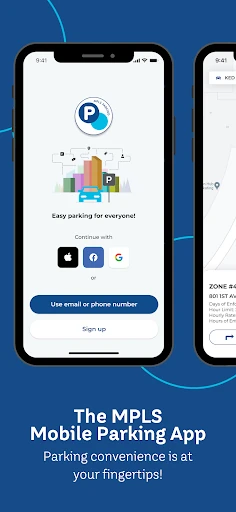
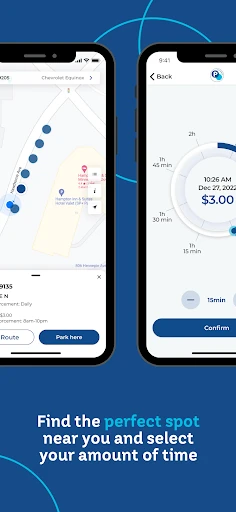
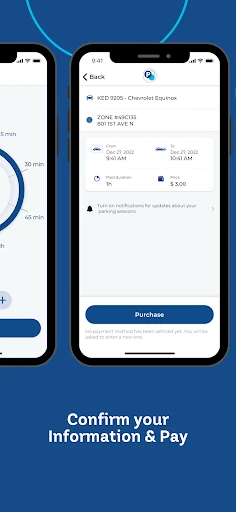
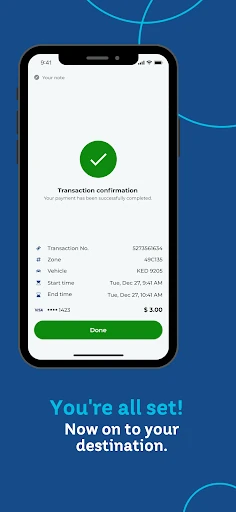
The UX flow of MPLS Parking is built around a logical, high-efficiency progression: account creation, vehicle identification, map-based location selection, and duration adjustment. The implementation of a visual dial for time selection provides an intuitive interface element that mimics the tactile nature of physical meters while offering digital precision. For a Maps & Navigation app, the emphasis on speed—moving from launch to a confirmed payment in minimal steps—is well-aligned with the high-stress, fast-paced environment of city driving.
The app would benefit greatly from predictive parking features, such as heatmaps showing historical parking availability in specific zones. Additionally, deeper integration with major navigation platforms like Google Maps or Apple Maps could allow for a seamless "hand-off" from driving directions to parking payment. Implementing a "frequent spots" shortcut for daily commuters would also further optimize the transaction speed.
MPLS Parking is an essential tool for any driver frequently navigating the Minneapolis metropolitan area. It effectively bridges the gap between municipal infrastructure and modern mobile convenience. While its niche is geographically specific, its execution of secure payments and localized alerts makes it a benchmark for regional parking utilities. It is highly recommended for Minneapolis residents, commuters, and frequent visitors.