🏆 Expert Verdict & Overview
Collage Maker | Photo Editor stands as a versatile powerhouse within the competitive Photography landscape, offering a comprehensive suite of tools that bridge the gap between casual photo stitching and professional-grade layouts. By integrating a newly launched AI Photo Enhancer alongside its robust collage engine, the app positions itself as an all-in-one solution for digital storytellers. It excels in its ability to handle high-volume inputs—up to 100 photos—while maintaining a user-centric workflow that caters specifically to the aesthetics of modern social media platforms like Instagram and Snapchat.
🔍 Key Features Breakdown
- Massive Scale Composition: Allows users to combine up to 100 photos into a single collage, a threshold that far exceeds standard competitors and enables complex mosaic creation.
- AI Photo Enhancer: Solves the problem of low-quality source material by transforming blurry or aged images into HD quality with a single tap.
- Platform-Specific Optimization: The "Multi-fit" and "Insta square" features address the common frustration of forced cropping on social media by providing 1:1, 4:5, and 9:16 ratios with intelligent blur backgrounds.
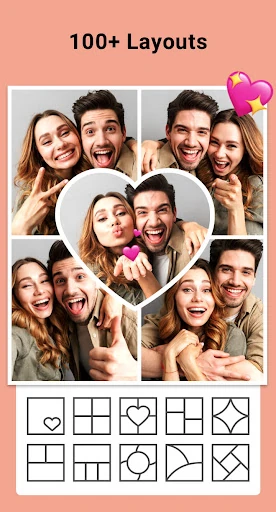
- Dynamic Template Library: Over 100 stylized layouts, including Magazine and Ripped Paper themes, allow users to move beyond static grids into high-concept graphic design.
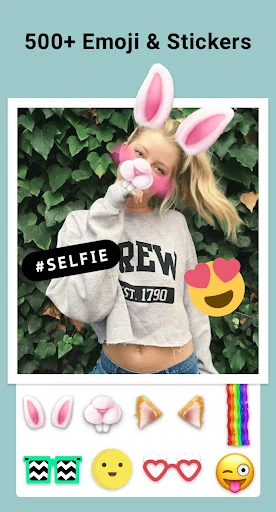
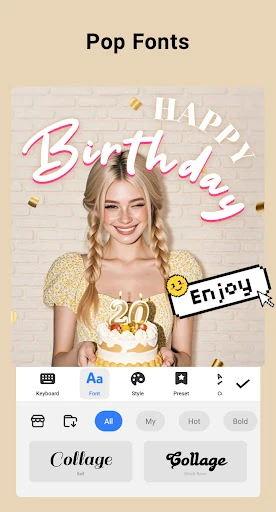
- Holistic Editing Suite: Beyond layout, the inclusion of filters, doodles, and text tools eliminates the need for users to bounce between multiple apps to finalize an image.
🎨 User Experience & Design
The interface of Collage Maker | Photo Editor is designed with a "lab-to-canvas" philosophy that prioritizes speed without sacrificing depth. The "Remix" functionality provides an immediate gratification loop, where selecting photos instantly generates layout previews. For the UX-conscious user, the transition between structured Grid styles and the organic Freestyle mode is fluid, reflecting a deep understanding of varied creative intents. While the sheer density of features—ranging from border adjustments to sticker overlays—suggests a feature-rich environment, the app maintains a logical hierarchy that keeps the editing process intuitive even for non-professionals.
⚖️ Pros & Cons Analysis
- ✅ The Good: Exceptional versatility in layout customization, ranging from simple side-by-side comparisons to 100-photo grids.
- ✅ The Good: High-resolution export options ensure that the final product remains crisp for both social sharing and physical printing.
- ❌ The Bad: The vast array of stickers and fonts may require a learning curve to navigate efficiently without cluttering the canvas.
- ❌ The Bad: Heavy reliance on external storage permissions might be a point of friction for users seeking more sandboxed privacy controls.
🛠️ Room for Improvement
To further solidify its position as a market leader, the app could benefit from more advanced AI-driven automation, such as "Smart Sorting" based on color palettes or subject recognition within the collage. Additionally, integrating a non-destructive editing history would allow users to revert specific changes more easily during complex Freestyle sessions. Expanding the doodle tool into a full-fledged vector brush system would also appeal to the more artistically inclined segment of the photography category.
🏁 Final Conclusion & Recommendation
Collage Maker | Photo Editor is a top-tier recommendation for social media influencers, digital scrapbookers, and casual users who want to elevate their visual storytelling. Its unique ability to process a massive number of photos simultaneously makes it the go-to choice for event recaps and professional portfolios alike. For anyone looking to transcend the limitations of basic grid apps, this is a definitive, high-performance tool in the photography space.