Eyezy: Phone Tracker By Number

Eyezy: Phone Tracker By Number

Fortunex Limited
Advertisement
2.6
Parenting
1,000,000+ Downloads

Click to download now, finish the installation quickly, and directly unlock the "all-round experience"

Advertisement

Screenshots
Screenshot
Screenshot
Screenshot
Screenshot
Screenshot
Screenshot
Screenshot
Screenshot

About This App

🏆 Expert Verdict & Overview

In an increasingly digital and mobile world, Eyezy: Phone Tracker By Number positions itself as a comprehensive sentinel for the modern family within the Parenting category. It transcends simple location sharing by bundling advanced monitoring tools into a unified safety platform. Its core proposition is to provide actionable intelligence—real-time location, digital activity, and emergency alerts—while navigating the critical legal and ethical landscape of consent and privacy, aiming to foster safety through trust and transparency rather than covert surveillance.

🔍 Key Features Breakdown

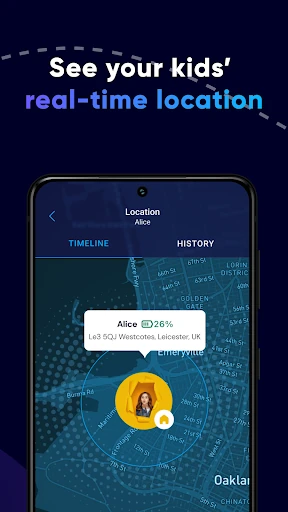
  • Real-Time GPS Tracker: Solves the fundamental parental anxiety of not knowing a child's whereabouts by delivering instant, accurate location data, transforming abstract worry into tangible information and proactive safety management.
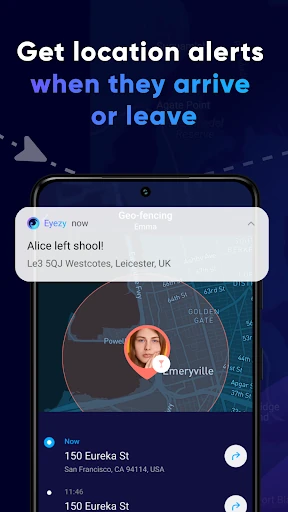
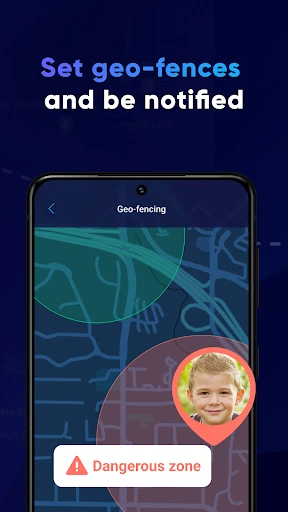
  • Geofencing with Alerts: Automates safety monitoring by creating virtual boundaries. Parents are freed from constant manual checking, receiving automatic notifications for arrivals and departures from key locations like home or school, enabling timely intervention if needed.
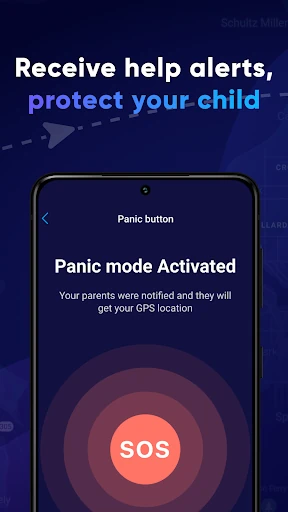
  • SOS Panic Button: Directly addresses emergency scenarios by giving the child a one-tap method to broadcast distress, significantly reducing response time in critical situations and providing peace of mind for both parent and child.
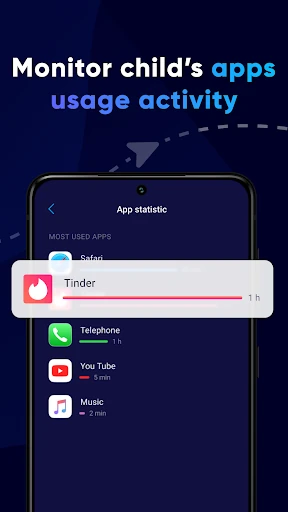
  • App & Web Activity Monitoring: Combats digital risks by providing visibility into application usage and browser history. This allows parents to guide responsible online behavior, identify potential exposure to harmful content, and initiate conversations about internet safety.
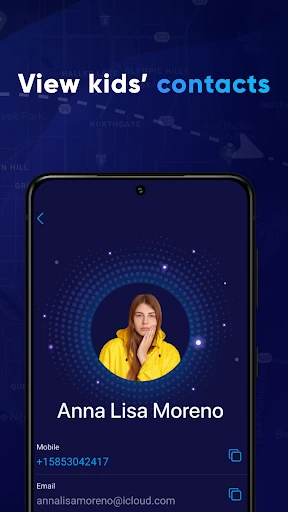
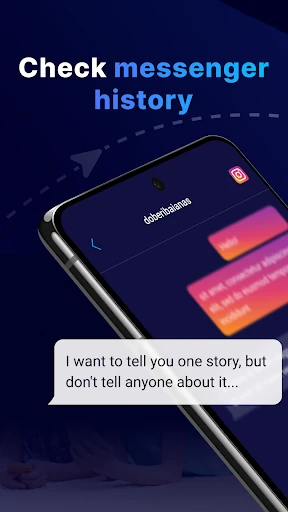
  • Contact List Review: Mitigates risks from unknown online acquaintances by allowing parents to see saved contacts, helping to prevent communication with potentially dangerous strangers and ensuring the child's social circle is known and safe.

🎨 User Experience & Design

For a Parenting app, clarity and reliability are paramount over aesthetic flair. The described setup process (install, link, enable) suggests a UX designed for straightforward deployment, likely using prompts and clear permission dialogs to establish the secure connection between devices. The interface probably prioritizes a dashboard-like view, offering immediate access to core functions—live location maps, geofence status, and alert logs—ensuring busy parents can get critical information at a glance without navigating complex menus. A well-executed design in this category minimizes friction and maximizes the speed of accessing safety-relevant data.

⚖️ Pros & Cons Analysis

  • ✅ The Good: Offers an exceptionally broad feature set that covers both physical location tracking and digital footprint monitoring, creating a holistic safety solution.
  • ✅ The Good: Emphasizes a consent-forward model and legal compliance, which is ethically sound and helps build family trust, differentiating it from stealth surveillance tools.
  • ✅ The Good: The SOS Panic Button and geofencing automate safety, providing proactive alerts that empower both the parent and the child.
  • ❌ The Bad: The extensive monitoring capabilities, while legal with consent, could be perceived as overly intrusive if not implemented within a framework of open family dialogue about safety and privacy.
  • ❌ The Bad: The reliance on AccessibilityService API, though stated for parental control, may raise technical eyebrows regarding potential permission overreach and could complicate installation or trigger security warnings on some devices.

🛠️ Room for Improvement

Future updates could focus on refining the balance between oversight and independence. Introducing graduated control levels or "trust modes" that automatically reduce the frequency of certain alerts as a child demonstrates responsible behavior would be a sophisticated addition. Enhanced reporting features, like weekly summaries of app usage or location patterns, would provide valuable insights without requiring constant real-time checking. Furthermore, adding more nuanced content filtering options for web browsing, beyond simple blocklists, would strengthen the digital safety component.

🏁 Final Conclusion & Recommendation

Eyezy is a powerful, recommendable tool primarily for parents of pre-teens and teenagers navigating increased independence, both physically and online. It is best suited for families who prioritize open communication and wish to use technology as a mutual safety net, not a secret weapon. The recommendation comes with the crucial caveat that its full potential for fostering trust is only realized when its powerful features are deployed transparently, with clear agreement on their purpose between parent and child. For those seeking a comprehensive, consent-based guardian app, Eyezy delivers a robust and feature-rich solution.