Bot Designer For Discord

Bot Designer For Discord

NilPointer Software Jakub T
Advertisement
3.8
Tools
1,000,000+ Downloads

Click to download now, finish the installation quickly, and directly unlock the "all-round experience"

Advertisement

Screenshots
Screenshot
Screenshot
Screenshot
Screenshot
Screenshot
Screenshot

About This App

🏆 Expert Verdict & Overview

Bot Designer For Discord carves out a significant niche in the Tools category by addressing a highly specific pain point: democratizing Discord bot creation for non-programmers. It successfully lowers the technical barrier, positioning itself as an essential gateway for community managers, gaming groups, and hobbyists who wish to automate and enrich their servers without engaging in complex coding. This app transforms a technical chore into an accessible creative and managerial task.

🔍 Key Features Breakdown

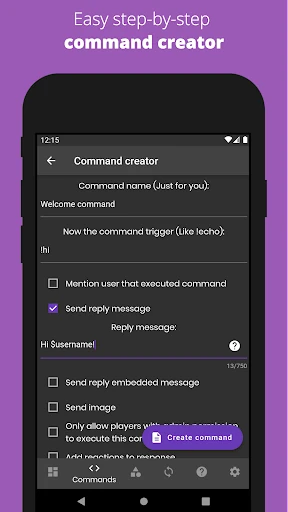
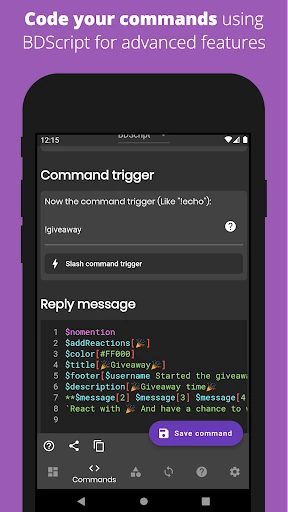
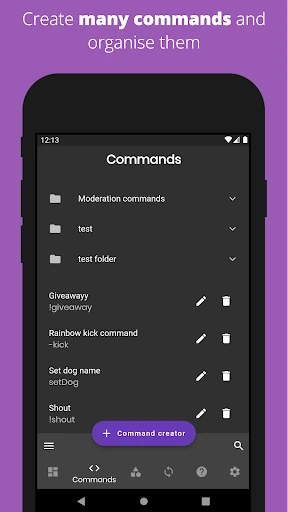
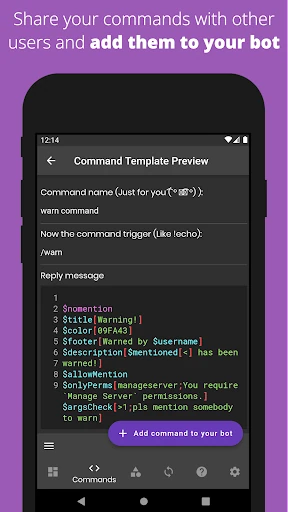
  • Visual Command Builder: By employing a user-friendly, code-like language, it bypasses the need for traditional programming languages (like JavaScript/Python), allowing users to conceptualize and implement bot logic directly.
  • Shared Command Store: This feature accelerates development and fosters a collaborative ecosystem where users can leverage pre-built solutions for common tasks, significantly reducing initial setup time and learning curve.
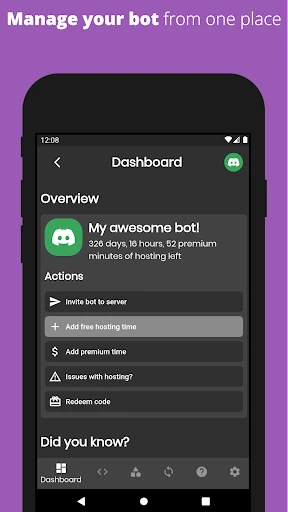
  • Managed Cloud Hosting: Solves the critical infrastructure problem for users by handling server provisioning, uptime, and maintenance, ensuring bots remain active 24/7 without draining the user's device resources.
  • Tiered Premium System: It effectively segments its user base, offering advanced capabilities and priority support for power users, which helps sustain development while keeping a robust free tier to grow the community.
  • Integrated Community & Tutorials: Recognizes that its tool's power is unlocked through knowledge, providing extensive external resources (YouTube, Discord server) to guide users from setup to mastery, which builds loyalty and user competency.

🎨 User Experience & Design

For a tool within this category, the primary UX metric is efficiency and clarity in achieving a complex technical goal. The app's design philosophy appears centered on a "low-floor, high-ceiling" approach. The initial interface must be intuitive enough for a novice to build a simple welcome bot, while the underlying system allows for increasingly complex logic. The heavy reliance on a Discord server for support and external video platforms for tutorials is a pragmatic, community-driven choice, though it slightly fragments the core in-app experience. A well-designed tool should empower users to learn within the environment, suggesting room for more integrated, interactive guidance.

⚖️ Pros & Cons Analysis

  • ✅ The Good: Empowers a non-technical audience to perform a highly technical task, fundamentally expanding who can manage a Discord server.
  • ✅ The Good: The managed hosting solution is a major value-add, removing a significant operational hurdle and ensuring reliability.
  • ✅ The Good: Fosters a strong community-driven support and learning system, leveraging collective knowledge.
  • ❌ The Bad: User creativity and bot complexity are inherently limited by the platform's available features and visual language compared to full-fledged programming.
  • ❌ The Bad: Advanced features and priority support are locked behind a paywall, which may frustrate users as their needs grow.
  • ❌ The Bad: The learning process is partially outsourced to external platforms (YouTube, Discord), which can lead to a disjointed onboarding experience.

🛠️ Room for Improvement

A critical update should focus on internalizing the learning journey. Implementing an interactive, in-app tutorial walkthrough for first-time users would dramatically improve initial retention. Furthermore, developing a sandbox or testing environment where users can safely run and debug commands against a mock server would elevate the professional feel and utility. Finally, expanding the command language or adding conditional logic blocks would raise the "high ceiling," allowing advanced users to build more sophisticated, customized bots without leaving the ecosystem.

🏁 Final Conclusion & Recommendation

Bot Designer For Discord is a highly recommended tool for its specific target audience: Discord server owners, community moderators, and gaming enthusiasts who lack coding skills but possess the drive to customize and automate their community spaces. It is less suitable for professional developers or those requiring deeply unique, complex bot behaviors. For the vast majority of casual to semi-serious Discord users, this app provides an unparalleled, accessible entry point into the world of bots, effectively turning a technical barrier into a creative opportunity.