Bazaart AI Photo Editor Design

Bazaart AI Photo Editor Design

Bazaart Ltd.
Advertisement
4.7
Art & Design
5,000,000+ Downloads

Click to download now, finish the installation quickly, and directly unlock the "all-round experience"

Advertisement

Screenshots
Screenshot
Screenshot
Screenshot
Screenshot
Screenshot
Screenshot
Screenshot
Screenshot

About This App

🏆 Expert Verdict & Overview

Bazaart AI Photo Editor Design positions itself as a powerful all-in-one creative studio, leveraging artificial intelligence to democratize advanced graphic design and photo manipulation. In the crowded Art & Design category, it distinguishes itself by targeting a broad spectrum of users—from social media enthusiasts to small business owners—offering pro-level features like object removal and layer editing within a purportedly intuitive framework. The core promise is to grant "design superpowers" without requiring prior expertise, effectively bridging the gap between simple photo apps and complex desktop software.

🔍 Key Features Breakdown

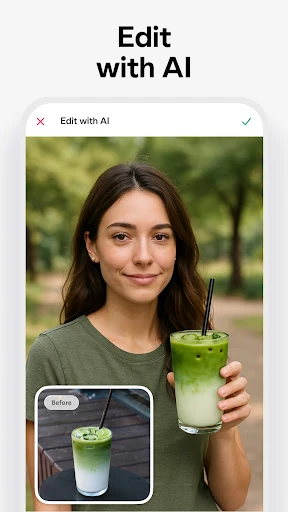
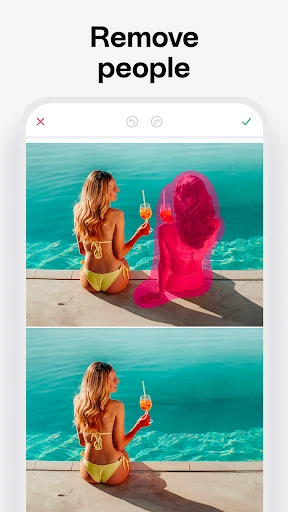
  • AI-Driven Removal & Replacement Tools: Solves the fundamental user pain points of unwanted elements and boring backgrounds. Features like instant background removal and the 'Magic Edit' tool (replacing objects via text prompt) empower users to achieve clean, professional-looking isolates and composites that were once the domain of experts using Photoshop.
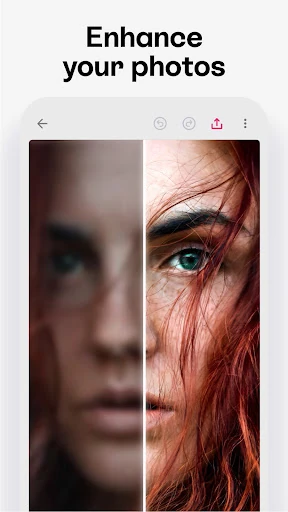
  • AI Image Generation & Enhancement: Addresses the need for original assets and quality improvement. The 'AI Photo' tool generates images from text, providing content for users lacking stock photos, while the image enhancer tackles the common issue of blurry, low-resolution source material, making old or poor-quality photos usable.
  • Non-Destructive, Layer-Based Editing: Solves the problem of irreversible mistakes and rigid editing workflows. Supporting up to 30 independently editable layers allows for flexible experimentation and complex designs, mirroring professional software logic but within a mobile context, reducing user anxiety.
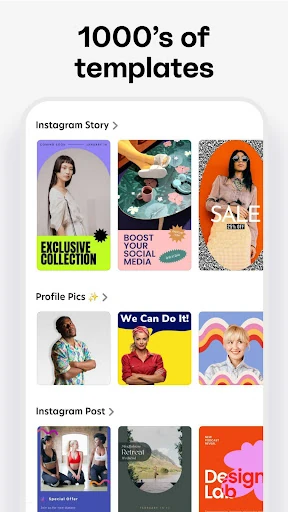
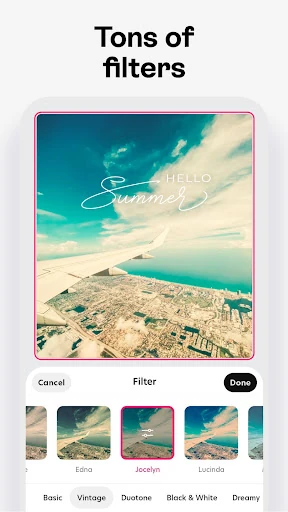
  • Comprehensive Asset Library & Integration: Solves the problem of starting with a blank canvas and scattered resources. Access to templates, fonts, stickers, and shapes, coupled with integration with cloud services like Google Drive and Dropbox, provides creative inspiration and streamlines the workflow from asset sourcing to final design.
  • Output Flexibility & Sharing: Solves the practical need for format-specific outputs. The ability to save with transparent (PNG) or opaque (JPG) backgrounds and share directly to social platforms caters directly to the core use cases of digital marketing, social content creation, and online selling.

🎨 User Experience & Design

For an Art & Design app, the UI must balance powerful functionality with discoverability and clarity. Bazaart's challenge is organizing its extensive toolset—from basic cropping to AI generators—into a coherent hierarchy. The mention of being "easy-to-use" and "no design experience required" suggests a focus on guided workflows, templates, and clear labeling to reduce the learning curve. Features like auto-snapping for alignment and reversible layers enhance the UX by promoting precision and reducing friction. The true test of its design philosophy is how well it manages to make advanced features like layer blending and effect application feel intuitive rather than overwhelming for its target non-professional audience.

⚖️ Pros & Cons Analysis

  • ✅ The Good: Exceptional breadth of tools, seamlessly combining standard photo editing, advanced AI features (removal, generation, enhancement), and multi-layer graphic design capabilities in a single mobile platform.
  • ✅ The Good: Strong focus on practical outcomes for content creators and small businesses, evidenced by features tailored for product photos, social media assets, and marketing materials.
  • ✅ The Good: Cloud service integration and a built-in asset library facilitate a smooth, all-in-app workflow from idea to export.
  • ❌ The Bad: The freemium model likely gates the most powerful AI tools (object removal, Magic Edit) and the full asset library behind a subscription, which may frustrate users after they experience the app's potential.
  • ❌ The Bad: The sheer number of features risks creating a cluttered or complex interface, potentially undermining the "easy-to-use" promise for absolute beginners without clear onboarding.
  • ❌ The Bad: Automatic subscription renewal, while standard, is explicitly called out and paired with a strict no-refund policy for unused terms, which could lead to user dissatisfaction if not carefully managed.

🛠️ Room for Improvement

To elevate its position, Bazaart should consider introducing more sophisticated project management features, such as folders or projects to organize creations. Enhancing the AI to allow for more granular control over generated elements (e.g., style parameters, iterative refinement) would appeal to advanced users. A more generous or tiered free tier with limited access to core AI tools could dramatically improve user acquisition and retention. Finally, implementing a robust tutorial system or interactive guides tailored to specific user goals (e.g., "Create a Facebook Ad," "Design a Logo") would solidify its claim as an app requiring no prior experience.

🏁 Final Conclusion & Recommendation

Bazaart AI Photo Editor Design is highly recommended for social media managers, small business owners, bloggers, and marketing professionals who need to produce a high volume of polished, visually appealing content on a mobile device. It is also suitable for hobbyists eager to explore advanced design techniques without investing in desktop software. While the subscription is necessary for full utility, the app's comprehensive toolset justifies the cost for serious users. For casual users needing only basic edits, the app may be overkill. Ultimately, Bazaart successfully packs a desktop-class creative suite into a mobile format, making professional-grade visual design more accessible than ever.