Galleryit - Photo Vault, Album

Galleryit - Photo Vault, Album

AI Photo Team
Advertisement
4.6
Photography
50,000,000+ Downloads

Click to download now, finish the installation quickly, and directly unlock the "all-round experience"

Advertisement

Screenshots
Screenshot
Screenshot
Screenshot
Screenshot
Screenshot
Screenshot
Screenshot

About This App

🏆 Expert Verdict & Overview

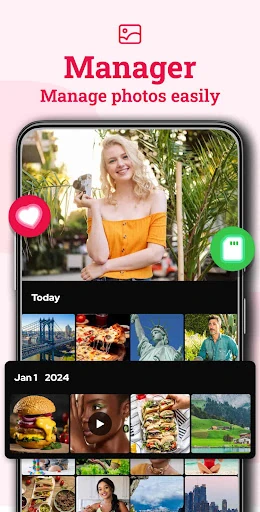
Galleryit - Photo Vault, Album positions itself as a robust, dual-purpose solution in the Photography category, combining the core functionalities of a standard gallery app with the security-focused features of a private vault. This hybrid approach caters to a growing user demand for compartmentalization—keeping everyday photos accessible while safeguarding sensitive content. The app's emphasis on local, offline-first operation on Android devices is a key differentiator, positioning it as a reliable platform for users prioritizing direct device storage over cloud dependency.

🔍 Key Features Breakdown

  • Secure Photo & Video Locker: This addresses the fundamental user need for privacy by employing PIN, pattern, and fingerprint authentication coupled with military-grade encryption. It provides a secure, segregated space within the device, allowing users to share their phone without compromising sensitive media.
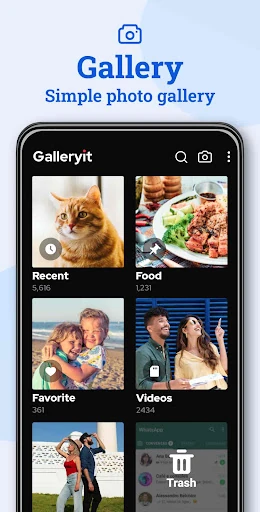
  • Deleted Files Recovery & Trash System: It solves the common problem of accidental deletion by implementing a safety net. Auto-moved to a trash folder, deleted files can be restored, preventing the permanent loss of precious memories while still offering the option for permanent deletion to manage storage.
  • Fast & Intelligent File Search: This feature tackles the frustration of navigating large photo libraries. By enabling filtering by date, location, file type, size, and name, it significantly reduces the time and effort required to locate specific photos or videos.
  • Uninstall Protection: It solves a niche but critical problem of accidental or unauthorized app removal. By utilizing device administrator permissions, it acts as a safeguard against data loss caused by other users or cleaning apps, ensuring the vault's integrity.
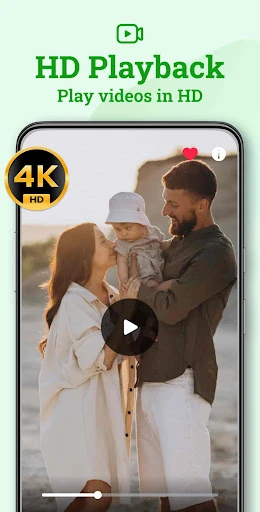
  • Comprehensive Format Support & Slideshow: It ensures universal accessibility by supporting a wide array of image and video formats (JPEG, RAW, MP4, etc.). The customizable slideshow feature enhances the viewing experience, turning the gallery into a presentation tool for reliving memories.

🎨 User Experience & Design

The interface described prioritizes functionality and clarity—essential for a Photography utility app. The ability to quickly search, categorize by smart criteria, and manage files suggests a design ethos centered on efficiency. Features like trash recovery and clear folder management minimize user anxiety around file manipulation. However, for an app in this category, the ultimate test of UX will be in the intuitiveness of transitioning between the "public" gallery and the "private" vault, and how seamlessly the promised editing and organization tools are integrated into the core workflow. A clean, non-cluttered visual design is implied as necessary to handle diverse media libraries effectively.

⚖️ Pros & Cons Analysis

  • ✅ The Good: Offers a powerful combination of a standard gallery and a secure vault in one package, eliminating the need for multiple apps.
  • ✅ The Good: Provides robust, offline-focused file management with useful tools like recovery, search, and format support.
  • ✅ The Good: Implements strong security measures (encryption, multiple lock methods) specifically for private media.
  • ✅ The Good: Shows proactive development with a clear roadmap of upcoming features like duplicate detection and compression.
  • ❌ The Bad: The description, while comprehensive, can feel repetitive, potentially confusing the core value proposition between a "gallery" and a "vault."
  • ❌ The Bad: Heavy emphasis on device administrator for uninstall protection may raise privacy concerns for a subset of users wary of such permissions.
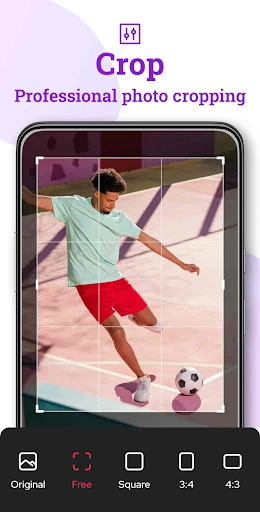
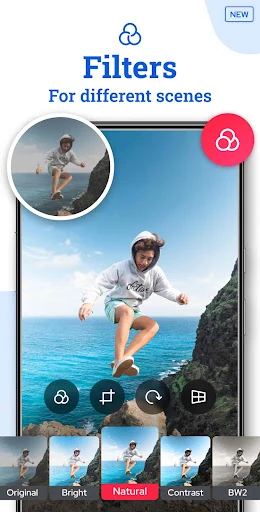
  • ❌ The Bad: The upcoming features list, while promising, highlights current gaps (advanced editing, smart cleanup) that competitors may already offer.

🛠️ Room for Improvement

A logical next step would be to refine the app's intelligence. Beyond the promised duplicate detection, implementing AI-powered album creation (e.g., grouping by faces, events, or locations) would significantly enhance organization. Furthermore, while offline-first is a strength, offering an optional, secure end-to-end encrypted cloud sync for the vault (as a premium feature) would provide a crucial backup and cross-device access solution. Finally, streamlining the onboarding process to clearly differentiate and set up the gallery and vault areas would improve initial user comprehension and setup.

🏁 Final Conclusion & Recommendation

Galleryit is highly recommended for Android users who actively manage a large local media library and require a dependable, secure space for private photos and videos. Its core strength lies in merging essential gallery browsing and organization with serious vault-style protection. It is ideal for privacy-conscious individuals, parents sharing devices with children, or anyone wanting to avoid cloud services for sensitive content. While power users might seek more advanced editing tools, Galleryit excels as a comprehensive, security-minded photo management hub for everyday use.