
Advertisement
Click to download now, finish the installation quickly, and directly unlock the "all-round experience"
Advertisement
Screenshots

Click to download now, finish the installation quickly, and directly unlock the "all-round experience"
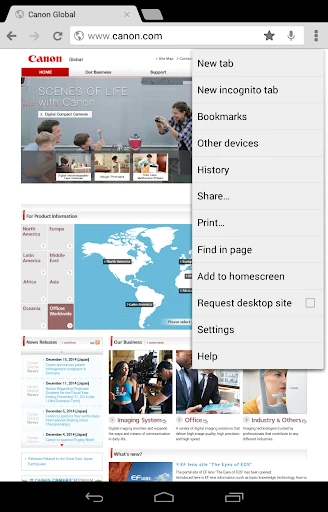
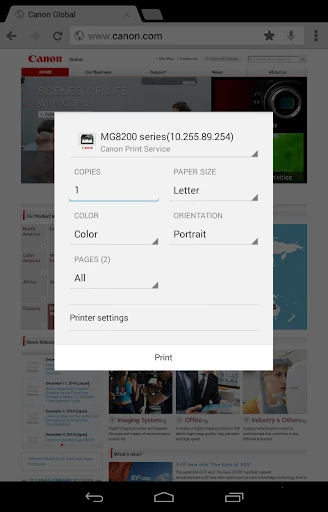
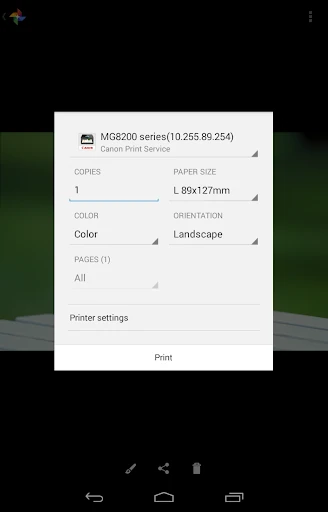
Canon Print Service is a sophisticated system-level utility that serves as a critical bridge between Android devices and Canon’s extensive printer portfolio. Positioned as an essential tool within the productivity landscape, it functions not as a standalone photo editor, but as a robust driver plugin that integrates directly into the Android Printing Subsystem. It brings enterprise-grade control—such as Department ID management and secure release—to the palm of your hand, making it an indispensable asset for both home office users and corporate professionals who rely on Canon hardware.
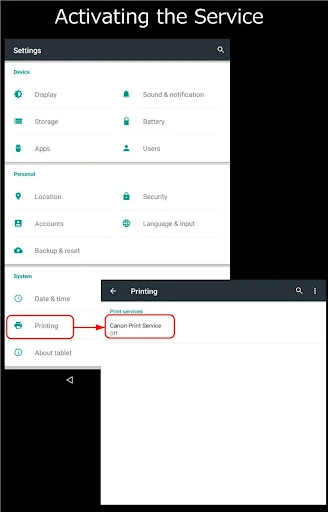
The design philosophy of Canon Print Service is rooted in "invisible" utility. Because it operates as a service rather than a standard foreground application, the UI is lean and functional, adhering strictly to Android’s native design language. This approach minimizes the learning curve, as the print settings appear as a natural extension of the mobile OS. While legacy users (Android 6 and below) face a slightly more manual setup process, the automatic activation on modern versions of Android represents a seamless, "set-it-and-forget-it" user experience that prioritizes efficiency over aesthetic flair.
The application could be enhanced by including a more comprehensive in-app status monitor that displays current ink or toner levels across discovered devices. Furthermore, a built-in troubleshooting guide for common network handshake issues would reduce user frustration. Improving the visual preview for complex tasks, like stapling or margin shifts, would provide users with greater confidence before committing to a large print job.
Canon Print Service is a must-have utility for anyone owning a compatible Canon printer. It is specifically designed for users who need a reliable, professional-grade connection to their hardware without the bloat of a heavy creative suite. Whether you are a student printing a thesis or a manager handling sensitive corporate reports, this service provides the necessary infrastructure for high-quality, secure mobile printing. It is the gold standard for utility-first tools in the Google Play ecosystem.