Zoom Workplace

Zoom Workplace

zoom.com
Advertisement
4.1
Business
1,000,000,000+ Downloads

Click to download now, finish the installation quickly, and directly unlock the "all-round experience"

Advertisement

Screenshots

Screenshot
Screenshot
Screenshot
Screenshot
Screenshot
Screenshot
Screenshot
Screenshot
Screenshot
Screenshot
Screenshot
Screenshot
Screenshot
Screenshot
Screenshot

About This App

🏆 Expert Verdict & Overview

Zoom Workplace represents a significant evolution in the unified communications landscape, consolidating the fragmented nature of business workflows into a single, AI-first collaboration hub. By integrating core tools like meetings, team chat, phone, and Zoom Docs, it directly addresses the productivity drain caused by constant context-switching between disparate apps. Its strategic positioning leverages the established trust in the Zoom Meetings brand to create a comprehensive solution tailored for modern, hybrid, and mobile-first business teams.

🔍 Key Features Breakdown

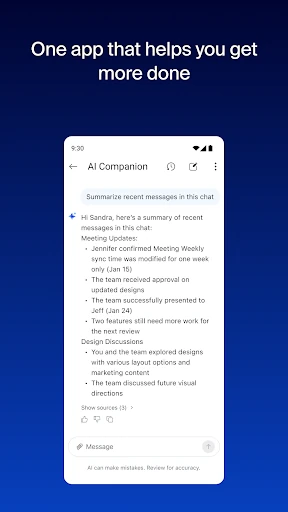
  • AI Companion Integration: This feature tackles information overload by acting as a personal assistant, summarizing unread messages and meetings, and drafting content, which saves users significant time on task preparation and follow-up.
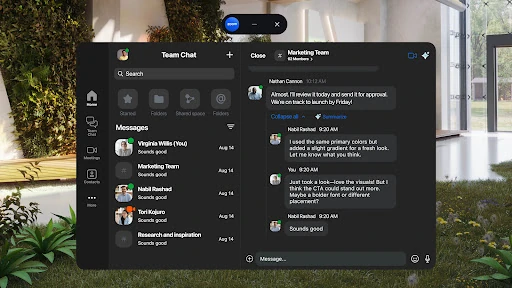
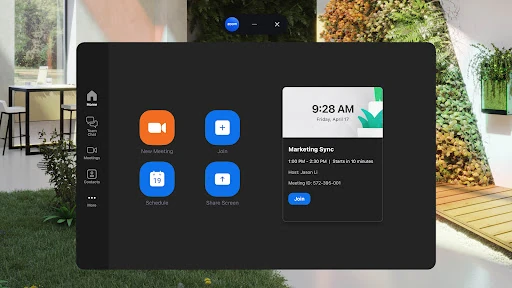
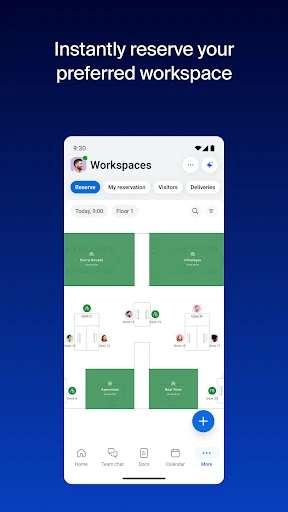
  • Unified Communications Platform: Solves the problem of app sprawl by placing team chat, phone, SMS, meetings, and email access within a single interface, reducing friction and simplifying daily communication tasks for on-the-go professionals.
  • Cross-Device & Location Flexibility: Directly addresses the reality of hybrid work by allowing seamless transfer of live meetings between devices and supporting multi-tasking modes on Android, ensuring workflow continuity regardless of location.
  • Zoom Docs & Virtual Whiteboards: Mitigates the inefficiency of using separate document and ideation tools by embedding collaborative creation and brainstorming directly into the communication stream, centralizing project-related information.
  • Enterprise-Grade Security with Ease: Resolves the tension between usability and safety by providing advanced security features like SSO alongside accessible, hands-free controls via Google Voice Access, enabling secure productivity in any environment.

🎨 User Experience & Design

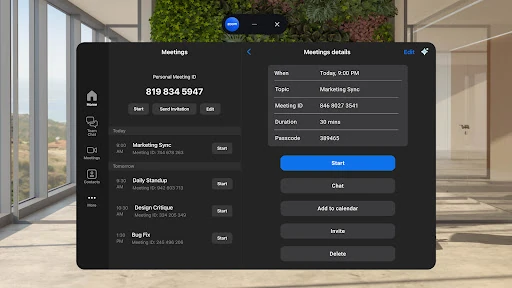
For a business application, efficiency and clarity are paramount, and Zoom Workplace's design philosophy appears centered on these principles. The interface leverages familiarity from the core Zoom Meetings experience to reduce the learning curve for new features. The integration of various modules (chat, calendar, docs) into a single app suggests a focus on minimizing navigation steps and cognitive load. Features like one-tap meeting join and device handoff demonstrate a thoughtful UX designed for speed and convenience, which is critical for professional users managing packed schedules. The integration of AI features contextually (e.g., summaries directly in chat) rather than as a separate silo adheres to modern UX best practices for seamless assistance.

⚖️ Pros & Cons Analysis

  • ✅ The Good: Exceptional integration of AI as a core, cost-free component for paid users, dramatically enhancing productivity.
  • ✅ The Good: Truly unified platform that consolidates communication and collaboration tools, eliminating the need to switch between multiple apps.
  • ✅ The Good: Strong mobile-first design with features like PiP, split-screen, and cross-device handoff that empower flexible, on-the-go work.
  • ✅ The Good: Robust enterprise security features built-in, providing IT departments with necessary controls without overly complicating the end-user experience.
  • ❌ The Bad: Core productivity features, including the headline AI Companion, are gated behind a paid subscription, limiting the free tier's utility for serious business use.
  • ❌ The Bad: Feature availability can be inconsistent, varying by region, industry, and license plan, which may create confusion and a fragmented experience across teams.
  • ❌ The Bad: The breadth of integrated features, while powerful, could present a steeper initial learning curve for users only familiar with the basic Zoom meeting functionality.

🛠️ Room for Improvement

While powerful, the platform could be enhanced by expanding the functionality of the free tier to include limited use of AI Companion or Zoom Docs, providing a more viable entry point for small teams. Improving offline capabilities for core features like document viewing and message history would increase reliability in areas with poor connectivity. Further refining the AI's action transparency—clearly indicating when and how data is used for summaries—would bolster user trust. Finally, streamlining the cross-app navigation flow even further to make discovering less-frequently-used features (like Whiteboard) more intuitive could improve overall adoption of the full suite.

🏁 Final Conclusion & Recommendation

Zoom Workplace is an essential tool for established hybrid and remote teams, professionals who are highly mobile, and small-to-medium businesses seeking an all-in-one collaboration suite. It is less ideal for casual users or organizations with strict, single-purpose application policies. The final verdict is that for teams already invested in the Zoom ecosystem or those prioritizing integrated AI assistance and unified communications, Zoom Workplace is a top-tier, purpose-built solution that justifies its subscription cost through significant gains in productivity and workflow simplification.